Up next in 10


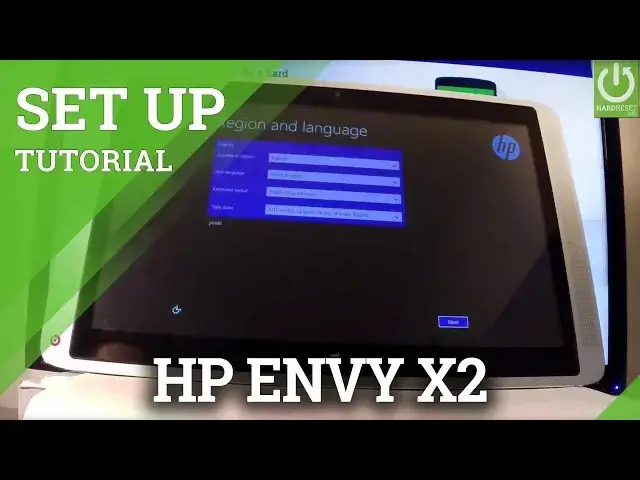
How to set up HP Envy x2? How to activate HP Envy x2? How to go through initialization process on HP Envy x2?
Watch the video to know how to activate HP tablet. Let's go setp by step throught setup process.
More Info:
Show More Show Less View Video Transcript
0:00
Here I've got HP Envy x2 and let me show you how to go through the initializing setup process
0:10
on the following device, so how to activate this tablet. As you can see let's start from the welcome panel, here you have the region and language
0:17
option, you can choose your country, app language, keyboard layout and timezone, in my case let
0:23
me choose the English language right here and let me choose my country and other things
0:28
So if you are ready let's tap next, right here. Now you can read the license of the following device, so here you have all terms and conditions
0:42
if you accept to all of them let's choose I accept, that key right here, let's tap it
0:48
You can register your product by inputting your full name and your email, but you don't
0:54
have to do it, you can bypass this step by choosing skip, so let me do it
1:02
Now you can personalize your contents, your color and some other things or you can simply
1:08
tap next right here. As you can see you have to enter a name for this PC, so let me just choose reset and let's
1:19
tap next. You can connect to one of the available Wi-Fi, let me do it, you can bypass this step of
1:26
course by tapping skip this step, so let me connect to my Wi-Fi right here, the device
1:34
is checking connection, let's wait a few seconds. Now you can change some settings by choosing customize right here or you can simply use
1:45
express settings to activate your phone in a really quick time, so let me do it, let's
1:53
choose use express settings. Excellent and now you can sign in into Microsoft account, you can create a new account or just
2:06
bypass this step, so let me bypass by tapping next right here, let's tap it
2:12
You can also choose don't have an account right here and let's tap sign in without a
2:27
Microsoft account, let's choose it and now you have to enter the username of the following
2:34
PC on the following tablet, so let me just input for example the hard reset
2:45
You can also use a password and a password hint to just protect your device, in my case
2:50
let me bypass this step for now and just tap finish right here
2:56
Now the device is finalizing your settings, let's just wait until everything would be
3:01
set up. Excellent, as you can see now you can use your device, you just activated your tablet
3:21
so everything went well, thank you for watching, please subscribe our channel and leave thumbs
3:26
up under the video
#Operating Systems