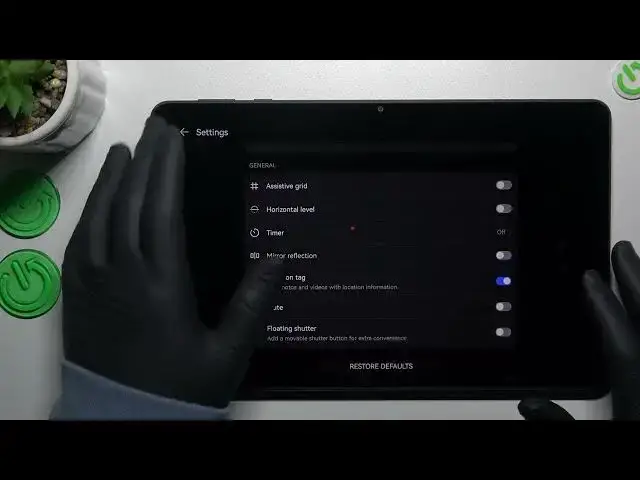

How to Manage Screen Mirror Effect on Huawei Matepad SE – Change Screen Mirror Option
Mar 22, 2024

Check more info about Huawei MatePad SE:
https://www.hardreset.info/devices/huawei/huawei-matepad-se-wifi/tutorials/
Hi there! Screen mirroring is a great feature that allows you to project your Huawei MatePad SE screen to a larger display, such as a TV or projector. However, if you experience lag or other issues with screen mirroring, you may want to manage the screen mirror effect. In this helpful video, our expert will guide you through the process of managing the screen mirror effect on your device, step-by-step. You'll learn how to access the settings menu, navigate to the display and projection section, and adjust the screen resolution, orientation, and other settings. Additionally, our expert will provide tips on how to troubleshoot common screen mirroring issues and optimize your device's display performance. For more information about Huawei MatePad SE visit our HardReset.info YT channel and discover many useful tutorials.
How to Change Screen Mirror Settings on Huawei Matepad SE?
How to Activate Screen Mirror Effect on Huawei Matepad SE?
How to Switch Screen Mirror Settings on Huawei Matepad SE?
#ScreenMirrorOption #ScreenMirroring #HuaweiMatepadSE
Follow us on Instagram ► https://www.instagram.com/hardreset.info
Like us on Facebook ► https://www.facebook.com/hardresetinfo/
Tweet us on Twitter ► https://twitter.com/HardResetI
Support us on TikTok ► https://www.tiktok.com/@hardreset.info
Use Reset Guides for many popular Apps ► https://www.hardreset.info/apps/apps/
Show More Show Less