0:00
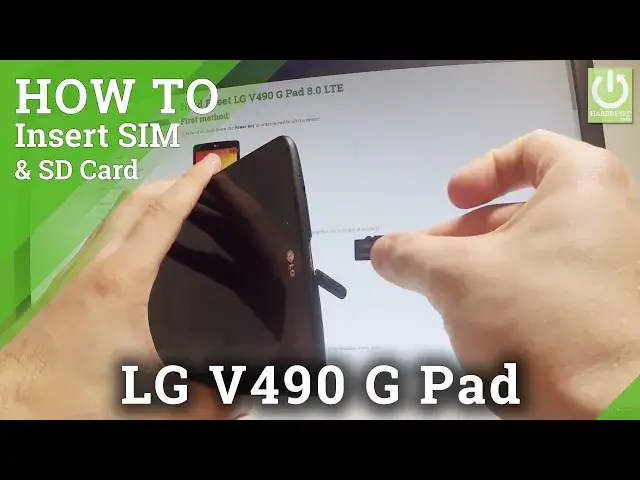
Here I have LGG button, let me show you how to insert here the micro sim and micro sd card
0:10
So at the very beginning let me start by holding a power key
0:16
Let's choose power off and tap ok to confirm it. Wait until your device will be completely switched off and afterwards let's open the protection
0:26
To the slot to your cards right here, it's located at the top of the device
0:32
Let's just simply remove this protection and here you can insert the micro sd card
0:39
Let me do it. Let's put this card in that position with the characteristic at right here
0:45
So let's put this card into this first slot, it should go smoothly right here and then
1:03
let's press to the end, you should hear the characteristic click. Let's remove the tray to a sim card, as simple as that
1:16
Here you should remove it. Let's use just your nail finger to remove this tray and here you should insert the micro
1:25
sim card. Let me do it. This is my card with the characteristic at right here
1:30
Let's put this card in that position and now let's push the whole thing into your device
1:42
Let me just do it again, something went wrong in my case
1:52
Let me just put it again and press it to the end right here
2:00
Excellent. Now you can close the protection right here and all you have to do is simply press power
2:14
key, just to check if both cards are working properly. As you can see the LG is turning on
2:22
Wait a couple of seconds until the home screen pops up. And that's it
2:36
Now you can use both cards. Let me just check if the device is reading this card
2:42
As you can see the device is trying to connect to one of the mobile network, so it means
2:47
that our sim card is working properly. Also my device changed the language
2:52
The language comes from the sim card, so let me just go back to my English settings
3:00
Just choose language right here, select language and that's it. So then let me just check if my device is reading our memory card
3:10
So let's go to the device and choose storage. As you can see the tablet is reading the memory card, the external storage from microSD
3:21
So everything went well. Thank you for watching. Please subscribe our channel, leave thumbs up under the video
3:29
And I will see you in the next video