0:00
Welcome. In front of me is a Google Pixel 8 Pro
0:02
and today I will show you how we can enable and set up your portable hotspot
0:10
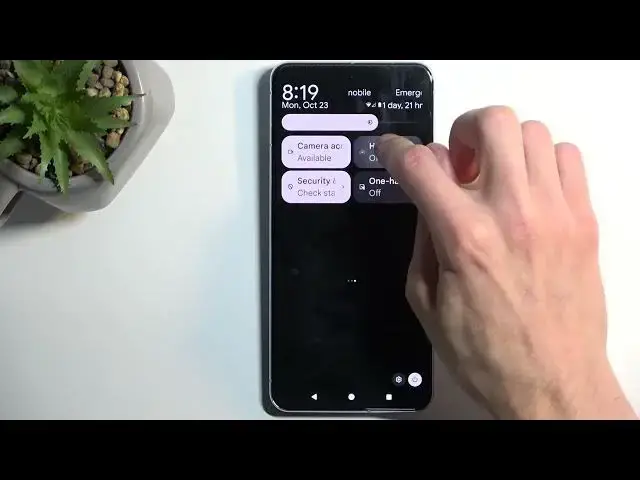
So to get started, we're going to pull down our notifications by swiping down from the top of the screen. Do that once again to extend the list of toggles
0:18
and locate the portable hotspot or hotspot toggle. Now it might not be visible between here, so if that is the case, because I personally don't see
0:30
it, it might be that it is disabled by default. So we're going to press right here on this little
0:35
pencil icon, scroll down, and there it is. It's the hotspot toggle. So we're going to grab it
0:42
drag it, drop it, go back, and now we have it added
0:47
Now once it's visible here between these toggles, hold it. This will then quickly take you to the
0:55
settings. Now the reason you want to do that is because hotspot will always have by default
1:00
randomly generated password, which number one, you won't know without actually checking it
1:06
But what I recommend doing is actually tapping on this one and completely removing the
1:10
randomly generated password and setting up your own new password, which will need to have at
1:15
least eight characters in length. Like so, and confirm it by selecting OK, and that's really the
1:23
only thing that you need to or I would recommend doing here. So we can now close this, find the
1:29
toggle once again, tap on it to enable our hotspot, and we're good to go. We can now connect our
1:34
hotspot with other devices. Now once you're done with it, you will then be able to turn it off by
1:39
just tapping on it once more and checking one little setting in here. We have turn off hotspot
1:44
automatically, which I do recommend keeping on. This will turn off your hotspot automatically
1:50
after like 10-20 minutes of inactivity. So when the device is detecting that no other device is
1:55
connected to this hotspot, it's just going to turn it off after a certain period, which is a good
2:00
option because hotspot will consume more of your phone's battery, and if you're not really using it
2:05
there is no reason for it to be running in the background. So that's a good option. And obviously
2:09
you can still toggle off your hotspot yourself by simply tapping on the toggle like you've seen me
2:15
do before. So there we go. So if you found this very helpful, don't forget to hit like, subscribe
2:24
and thanks for watching