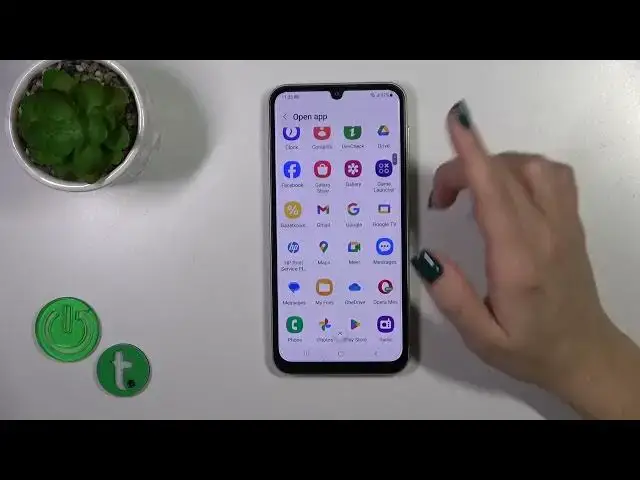

How to Customize Quick Launch on SAMSUNG Galaxy A05s? | Adjust Double Tap/Power Key/Volume Key
Aug 4, 2024

Learn more info about SAMSUNG Galaxy A05S:
https://www.hardreset.info/devices/samsung/samsung-galaxy-a05s/tutorials/
Today, we're excited to guide you on customizing the Quick Launch feature on your SAMSUNG Galaxy A05S. This versatile functionality allows you to quickly access your favorite apps with just a double-tap of the power key. Our expert will provide step-by-step instructions on how to configure the Side Key for this purpose, ensuring you can open any app with ease.
Unlock the full potential of your SAMSUNG Galaxy A05S by personalizing your quick launch button to cater to your specific needs and preferences. We hope you enjoy this video tutorial and find it beneficial in enhancing your smartphone experience. For more insightful tips and tricks on your SAMSUNG Galaxy A05S, be sure to explore our YouTube channel.
How to adjust the Quick Launch Double Tap Power Key in SAMSUNG Galaxy A05S? How to customize the Quick Lunch Volume Key in SAMSUNG Galaxy A05S? How to open quick action settings in SAMSUNG Galaxy A05S? #CustomizeQuickLaunch #AdjustQuickAction #SAMSUNGGalaxyA05S
Follow us on Instagram ► https://www.instagram.com/hardreset.info
Like us on Facebook ► https://www.facebook.com/hardresetinfo/
Tweet us on Twitter ► https://twitter.com/HardResetI
Support us on TikTok ► https://www.tiktok.com/@hardreset.info
Use Reset Guides for many popular Apps ► https://www.hardreset.info/apps/apps/
Show More Show Less