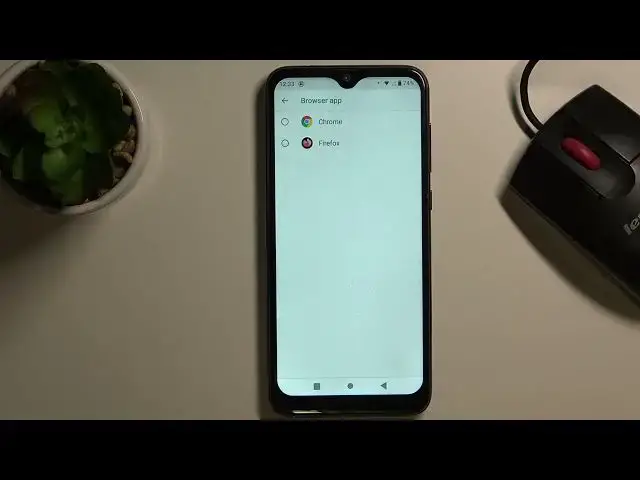

How to Change Default Apps in OUKITEL C15 Pro – Set Up Default Browser
Jul 10, 2024

Learn more about OUKITEL C15 Pro
https://www.hardreset.info/devices/oukitel/oukitel-c15-pro/
If you don't like using the current default browser on the OUKITEL C15 Pro, we are going to show you how to manage the default apps in a moment. Stay with us until the end and download another browser to your device. Follow our expert guide and discover how to effectively change your default browser on OUKITEL C15 Pro.
How to change default apps in OUKITEL C15 Pro? How to set default apps in OUKITEL C15 Pro? How to customize default apps in OUKITEL C15 Pro? How to customize default apps in OUKITEL C15 Pro? How to choose default apps in OUKITEL C15 Pro? How to manage default apps in OUKITEL C15 Pro? How to customize apps in OUKITEL C15 Pro? How to reset default apps on OUKITEL C15 Pro? How to restore default apps on OUKITEL C15 Pro? How to set a new default browser on OUKITEL C15 Pro? How to change default browser on OUKITEL C15 Pro? How to manage default browser on OUKITEL C15 Pro? How to customize default browser on OUKITEL C15 Pro? How to set default browser on OUKITEL C15 Pro?
#CustomizeApps #DefaultBrowser #OUKITELC15Pro
Follow us on Instagram ► https://www.instagram.com/hardreset.info
Like us on Facebook ► https://www.facebook.com/hardresetinfo/
Tweet us on Twitter ► https://twitter.com/HardResetI
Support us on TikTok ► https://www.tiktok.com/@hardreset.info
Use Reset Guides for many popular Apps ► https://www.hardreset.info/apps/apps/
Show More Show Less