0:00
Hi everyone, in front of me I've got the GS40 and let me share with you how to
0:12
add a fingerprint to this device. So first of all let's enter the settings
0:16
and now let's scroll down in order to find security and location. Now let's
0:21
scroll down again to the device security section and here we've got the
0:25
fingerprint so let's tap. And this is the very first step of adding the
0:29
fingerprint so here we've got some information about that so we will be
0:33
able to use it to unlock the device, purchase, authorize the purchases or sign
0:37
into apps. Simply tap on next. Right now we have to choose an additional screen
0:43
lock. It is very important because if for some reason the fingerprint sensor won't work then you will still be able to unlock your device without the need to
0:50
go through whole hardware set operation which will actually wipe out all the data. So you can pick the pattern pin or password and I will stick with
0:59
the pattern so simply tap on the option like to use and tap on yes. Right now we
1:05
have to draw the pattern, tap on next, redo it and confirm. So this is
1:12
the pattern we will use later on. Right now you can decide what kind of notifications you will show on the display, on the lock screen
1:19
actually. So you can show all the notification content, hide sensitive content or don't show notifications at all. It's really up to
1:27
which option you like to use. I will pick this one. Just make sure that it is marked
1:31
and tap on done. So right now we can actually add our fingerprint to this
1:36
device and here we've got the instructions that we have to put our finger on the sensor which is located right here on the back of our device
1:44
Okay, just rotate. So let me put my finger on it and as you can see right now we
1:50
have to do it multiple times in order to add our fingerprint fully and try to
1:54
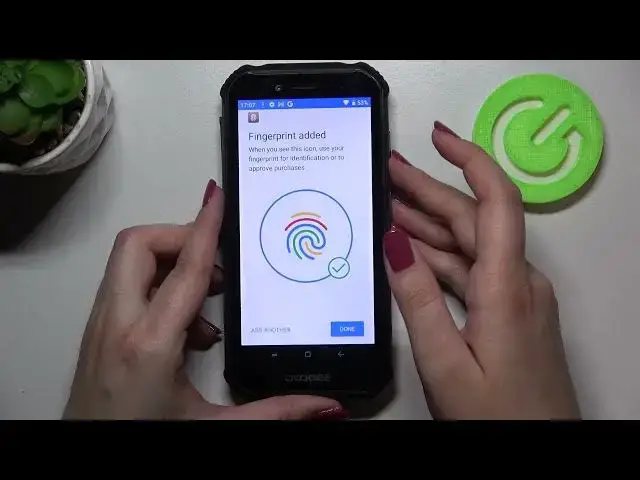
catch every corner just for better recognition. Okay, we finally added the fingerprint to this device. So if you want to from
2:22
this step you can add another, if not just tap on done. And if you want to you
2:28
can enter the fingerprint, of course confirm it with the pattern you set. And
2:34
as you can see here we've got some options which we can customize. So this
2:38
is the fingerprint we just added. We can remove it just by tapping on the stretch bin icon or by tapping on it we can rename it. So let me rename it
2:45
because why not. Okay, you can add another one if you want to and here you've got
2:54
the fingerprint gesture single tap. So you can decide where you want to do
2:59
after single tapping on the sensor. As you can see you can touch the
3:04
fingerprint to return to the previous interface, touch the fingerprint to shot
3:08
to slide around the launcher interface, you can control the music or answer the
3:14
call control. So of course again it's really up to which option you'd like to use. So you
3:19
can for example use the back control and so on and so on. The unlocking
3:25
device option is I believe defaultly set. So let me lock the device and let's
3:31
actually check if it is working. So let me lock it and right now I'm putting my
3:36
finger on the sensor. Okay and as you can see and the device has been unblocked so
3:44
it means that for sure we just added our fingerprint successfully. So actually this
3:49
is it. This is how to add the fingerprint in your Doge S40. Thank you so much for
3:53
watching. I hope that this video was helpful and if it was please hit the
3:57
subscribe button and leave the thumbs up