
GameSir Cyclone 2 – How to Change RGB Color
May 28, 2026

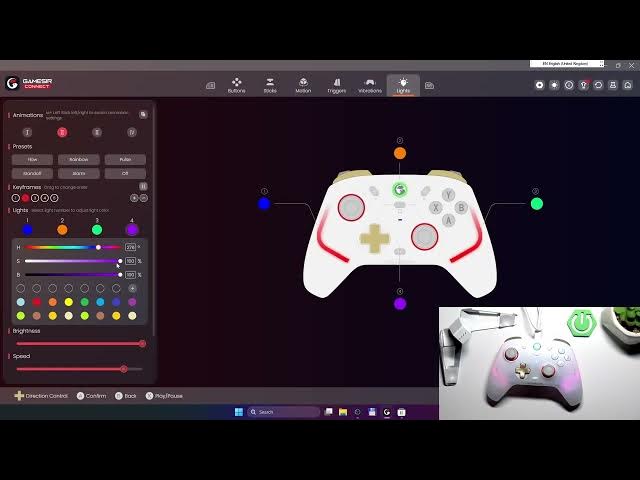
In this short video I show how to change the RGB color on the GameSir Cyclone 2 using the GameSir Connect app. You will learn how to open the Lights menu, choose Keyframe, pick a light color, and apply it to your controller. This quick, clear guide makes it easy to customize your controller lighting even if you are new to GameSir software or RGB settings. Follow the exact steps shown to get the color you want in seconds and test the result on your Cyclone 2.
How to change RGB color on GameSir Cyclone 2?
How to set RGB lights on GameSir Cyclone 2 using GameSir Connect?
How to customize lighting on GameSir Cyclone 2 controller?
0:00 Intro – GameSir Cyclone 2 and what we’ll do
0:16 Open GameSir Connect and enter Lights
0:30 Select Keyframe and pick Light Color
0:36 Apply the color and quick test
0:40 Outro – like, comment, subscribe
#GameSir #GameSirCyclone2 #RGB #GamingController
Find out more:
https://www.hardreset.info/devices/gamesir/gamesir-cyclone-2/
Follow us on Instagram ► https://www.instagram.com/hardreset.info
Like us on Facebook ► https://www.facebook.com/hardresetinfo/
Tweet us on Twitter ► https://twitter.com/HardResetI
Show More Show Less #Science