0:00
Hello! In this video I want to show you how to bypass a screen lock on a Vivo IQ00Z8
0:11
And to do this we'll need to perform factory reset on our device, that means it will reset all of the
0:17
files and photos etc from your phone. So beware of that and now if you agree and want to proceed
0:25
As you can see I have a lock screen on my device and I don't know the pattern. Now we need to power
0:31
off our device. You can hold the power key and if the power menu shows up which you'll be able to
0:37
shut down your phone, click on it to shut down your device. If you don't see the power menu you
0:42
will need to click on the power button and volume up key at the same time. Go for power off and wait
0:49
till your device fully shuts down. It might take around 10 seconds
0:58
Now we need to press on the power button and volume up key at the same time
1:06
And here we'll enter recovery mode. I think that didn't work so just let it reboot and I'll show you again
1:28
So now we're in the fast boot mode and we'll be able to navigate here using volume up volume
1:35
down key and to confirm something click on the power key and we want to go for the recovery mode
1:46
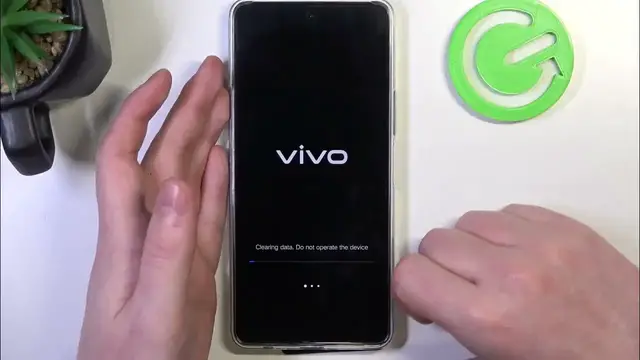
Here select clear data and now the touch screen also should be working fine so we can click on
1:52
clear data. Clear all data, confirm it and now wait till your device is factory restarted
1:59
Now we can return, go back and restart your device
2:19
Okay and here we are at the first setup. Now we just need to perform it and I'll show you how to do it
2:29
I'll show you at the end that the lock screen is gone so let me do it quickly
2:44
There's set unlock method which already confirms that the screen lock is gone but I'm gonna skip it and next
3:00
At the end of the setup your phone opens without any screen lock and when we lock our device
3:08
and unlock again password is gone and that's it for this video. Hope you like it
3:14
Please consider subscribing to our channel, leave a like and a comment below