0:00
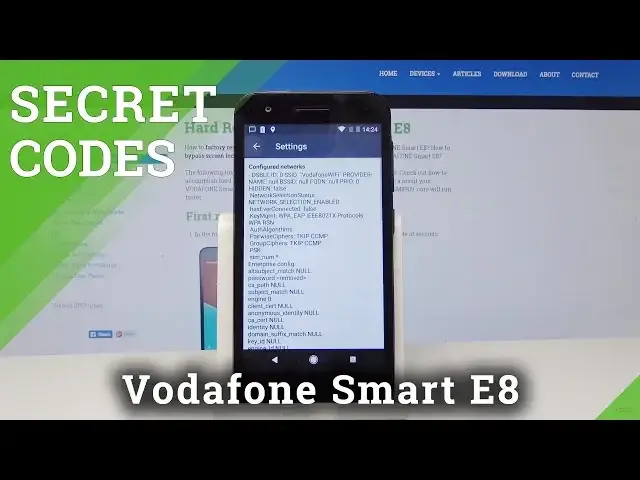
Here I have Vodafone Smart E8 and let me show you how to use secret codes on the following device
0:13
So at the very beginning let's start by using the home screen. Here you need to open the phone's dialer and let's activate the keypad
0:22
Now you have to use the following secret code
0:38
Now as you can see the Android testing menu just pops up. Here you can navigate by tapping appropriate options
0:43
You can choose here phone information. So here you can read start status, email number, phone number, current network, signal strength
0:51
You can also run a ping test or for example use the following options
0:55
Let's go back. You can also choose here usage statistics and read the last time used or usage time
1:02
Let's go back one more time. Choose here Wi-Fi information. Here you can select Wi-Fi API
1:07
When you can disable network, disconnect network, enable network or get connection info
1:12
You can also choose Wi-Fi config. And here you've got configured networks
1:19
You can also read the full specification about them. Let's go back
1:23
Let's choose here Wi-Fi status. Here you can refresh or start or run a ping test
1:27
That's it. Let's use back key a couple of times. Now you can quit the Android testing menu and let's open here the Google Play service
1:36
So let's use asterisk pound, asterisk pound, 426, pound asterisk, pound asterisk
1:45
The Google Play service just pops up. Here you can use ping, connect, disconnect or events
1:50
Use back key again. Now it's time to use the calendar info
1:55
So let's enter asterisk pound, asterisk pound, 225, pound asterisk, pound asterisk
2:05
As you can see the calendar info just pops up in front of you. You can also try to enter debug UI
2:10
So let's use this code asterisk pound, asterisk pound, 759, pound asterisk, pound asterisk
2:20
and debug UI just pops up. Here you can change OEM mode for example
2:25
Use back key and at the end let me show you how to check email number on the following device
2:30
So let's use asterisk pound, 06 pound and the email number just pops up
2:36
Alright so everything went well. Thank you for watching. Please subscribe our channel and leave thumbs up under the video