0:00
Hello. In today's video, I'll show you
0:02
how to fix flickering on Ziken on Nikon
0:13
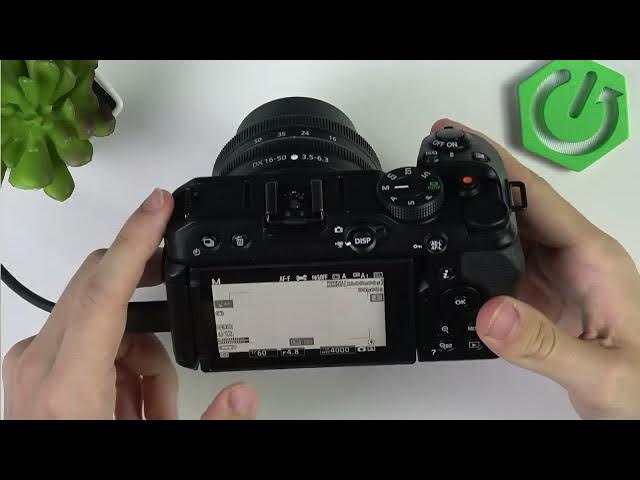
Okay. So, let's turn the camera on. And
0:16
we have a few options here. Uh once you
0:18
go to the video uh recording menu, you
0:21
can go down and um there's flicker
0:25
reduction. You can actually enable it
0:27
and set it to 50 or 60 Hz. Um,
0:33
right. Uh, so depending on the light,
0:36
depending on the region you're in, uh,
0:38
in different regions, the uh, hertz is
0:41
maybe different, but also depending on
0:43
what you're actually filming. If you're
0:47
60 Hz will would be better. But if
0:49
you're filming lighting, uh, like indoor
0:52
lighting, it may actually work better at
0:54
50 Hz. It just depends. You can also set
0:57
it to auto. Um, yeah. And that may
1:01
reduce flickering, but if it doesn't,
1:03
then there's still something that you
1:05
can do here, uh, which is clicking on
1:07
this eye icon. No, sorry, sorry. What am
1:14
make sure you are in a mode that, uh,
1:16
allows you to change the shutter speed.
1:19
So, either the S mode, which is shutter
1:22
speed priority, or the manual mode.
1:25
or user set mode if you if you have them
1:29
set up. So, I'll go to the shutter speed
1:32
first, then I'll tell you about the
1:34
manual for a moment. Um, in the shutter
1:37
speed now, you can use uh this uh dial
1:41
to adjust the shutter speed.
1:44
Um, I'm in photo. Let's go to video for
1:47
now. I think in video it'll be more No,
1:50
in video I actually can't uh
1:54
adjust the shutter speed. Uh but in
1:57
manual I should be able. Yeah, in manual
2:00
I can. So in manual um I can adjust it.
2:06
you can see. Uh so um make sure that you
2:12
um if you're if the lighting in your
2:14
room is let's say 50 htz then you should
2:18
adjust this um to one by
2:23
uh uh like one by a multiplication of
2:30
So 60 wouldn't be good. If I set it to
2:34
80 wouldn't be good either. 100 would be
2:37
great. Uh 200 would be great. Um 400
2:42
would be also great. 500 also like a
2:45
multiplication of the hertz of the
2:51
Uh then in photo mode you can do it in
2:57
manual of course and you can do like 50,
3:00
you can do 100, 200, 400. Again uh you
3:04
can also do it in shutter priority.
3:06
Shutter priority basically makes the ISO
3:09
and the aperture automatic and you
3:13
basically just need to change the
3:15
shutter speed and everything else will
3:17
be adjusted automatically to what can be
3:20
done um to make the image look good. And
3:25
um in manual you have control over
3:28
everything. So like you adjust the
3:31
shutter speed, but it also can adjust
3:33
the aperture uh with this dial. And when
3:37
you press and hold on ISO, you can also
3:39
adjust ISO like that. Um but when you
3:42
release it, it goes back to automatic.
3:43
So if you want to disable auto ISO,
3:45
press and hold on ISO, flip this um dial
3:49
once, just one click. Then you can see
3:52
auto disappears from ISO. And now when
3:55
you press and hold on ISO and adjust
3:57
this dial, then you're changing the ISO
4:00
manually and it stays there. So these
4:03
are all the things that I wanted to show
4:04
you. I'll go back to this. I'll enable
4:06
the auto ISO and then all you need to
4:09
care about is the shutter speed here.
4:12
But um in most cases, the flicker
4:14
reduction that I've shown you in the
4:16
beginning of the video will help you. So
4:18
I hope that this video was helpful.
4:19
Don't forget to like and subscribe and
4:21
I'll see you in the next one.