
XIAOMI Watch S5 – How to Pair with iPhone
Jun 15, 2026

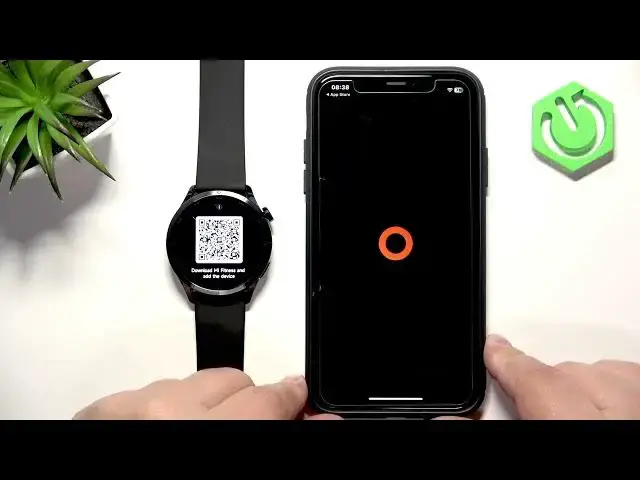
Learn how to pair your XIAOMI Watch S5 with an iPhone step by step. In this video you will see how to turn on the watch, choose language, scan the QR or download the MiFitness app from the App Store, sign in or create a Xiaomi account, grant required permissions, add the device and complete pairing. We also cover options for automatic updates, app menu layout and notification/call permissions so the watch works smoothly with iOS.
How to pair XIAOMI Watch S5 with iPhone?
How to use MiFitness app to connect XIAOMI Watch S5 to iPhone?
How to enable notifications and automatic updates for XIAOMI Watch S5 on iPhone?
0:00 Intro
0:11 Turn on the XIAOMI Watch S5 (press and hold the lower button)
0:26 Select language & scan QR code or install MiFitness from App Store
1:07 Open MiFitness and start the setup
1:33 Agree terms, select region and initial settings
2:05 Sign in or create a Xiaomi account
2:56 Allow permissions and tap Add Device
3:12 Select your watch, confirm and tap Pair
3:38 Choose automatic update and app menu layout
3:46 Allow call and notification permissions
4:03 Device page – watch connected and ready
4:21 Outro and subscribe reminder
#XiaomiWatchS5 #MiFitness #iPhone #SmartwatchPairing
Find out more:
https://www.hardreset.info/devices/xiaomi/xiaomi-watch-s5/how-pair-iphone/
Follow us on Instagram ► https://www.instagram.com/hardreset.info
Like us on Facebook ► https://www.facebook.com/hardresetinfo/
Tweet us on Twitter ► https://twitter.com/HardResetI
Support us on TikTok ► https://www.tiktok.com/@hardreset.info
Use Reset Guides for many popular Apps ► https://www.hardreset.info/apps/apps/
Show More Show Less