0:00
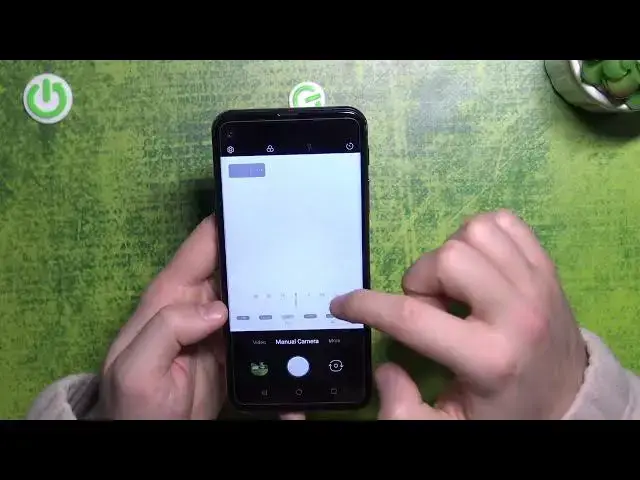
Welcome, in this video I'm going to show you how camera pro mode looks on the LG Q70
0:09
Ok, so first of all to open the pro mode you have to go for the manual camera and right here you can find a lot of parameters
0:16
For example at the first we can focus on this line, after that we are going for this upper section
0:22
So first we can adjust the white balance with the slider. You can make it manually or automatically
0:34
The next option is the focus range. So as you can see right now when you can see this green marking on your surface it means that right now the phone is catching focus on this place
0:50
When I'm gonna move this phone a little bit higher as you can see right now it's out of the focus
0:58
When I'm gonna put it closer as you can see this button and this arena especially it's in the focus
1:04
So right here you can basically adjust the focus range. As you can see for this phone position the best focus we can find on this setup
1:14
When I'm gonna put it higher it looks different so we have to change it manually
1:20
If you want to get focus on four objects for example like that as you can see
1:30
So here we can just adjust the focus range. You can also make it automatically
1:36
Here we can find exposure compensation we can set between plus two and minus two and that's the only parameter that you can only set up manually
1:45
Here we can find ISO level, manual or automatic setup. Here we can find the shutter speed
1:58
Even for the 30 seconds that's how we can set it up
2:02
And here we can reset all these parameters to the default setup
2:09
And also we can enable timer between 3, 5 or 10 seconds
2:16
As you can see there's also the flash countdown. Let's turn it off
2:21
Here we can enable the manual flashlight. We can also enable the filters they will change color and the temperature right here
2:29
And also there is the histogram in the left corner as you can see
2:35
And that's all for the manual camera mode on the LG Q70
2:39
If you find this video helpful remember to leave a like, comment and subscribe