0:00
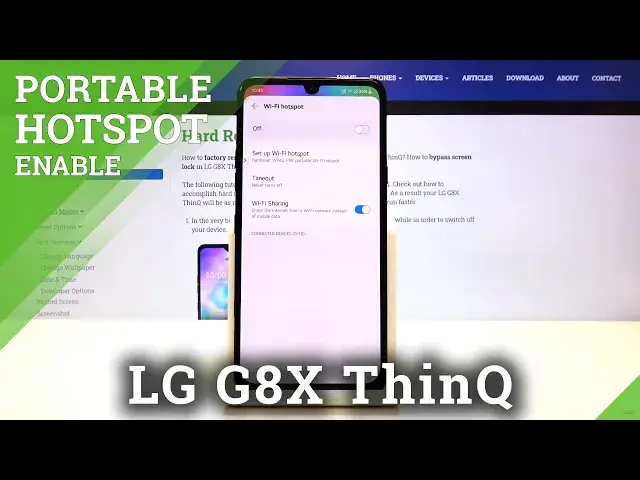
Hi everyone, here we've got LG G8X ThinQ and let me show you how to enable portable
0:10
hotspot on this device. So first of all let's begin with some customization. So let's open
0:15
the settings, then let's find network and internet and here let's choose the tethering
0:23
As you can see here we've got the wi-fi hotspot so let's tap on it and as you can see here we've
0:28
got some options to customize. First of all we can set up wi-fi hotspot so let's tap on it
0:33
and here we can choose another wi-fi name so let's type something for example this one
0:41
We can choose the security, we can set it as open or secured and we can set the password
0:50
Remember that the password must contain at least eight characters and try to make it as unique and
0:57
complicated as possible. Let's slide down and as you can see here we can set maximum users which we
1:04
can connect with our hotspot and we can show advanced options and you can choose the broadcast
1:10
channel. Let's click on save and as you can see it immediately the name and the password is
1:17
immediately changed. What's more you can set the timeout so this device will turn off wi-fi hotspot
1:24
when there will be no connected devices. After five minutes then 15, 30 minutes or one hour
1:31
What's more you can set it as never turns off so let me pick this one for example and it
1:36
immediately changes also. What's more we can set wi-fi sharing so it means that if you will
1:43
be connected with a wi-fi then you will share this wi-fi with other devices not your mobile data so
1:51
let me leave it like activated. Here we've got the list of connected devices now we have no
1:57
no devices connected but if you will have any they will appear here. Okay so this is how to
2:03
customize the portable hotspot. If you want to have faster access to this feature simply unroll the
2:09
top bar and as you can see here we've got the hotspot icon. In order to activate that simply
2:16
tap on it and this is the info about wi-fi hotspot that the battery may run out quickly
2:22
Click on turn on and by this icon you can say that the hotspot is activated. If you want to turn it
2:28
off just do the same. Let's tap on the hotspot icon and now it is turned off. So that's all
2:35
This is how to enable portable hotspot in your LG G8x ThinQ. Thank you so much for watching
2:41
I hope that this video was helpful and if it was please hit the subscribe button and leave a thumbs up