0:00
Hello, in front of me I have Ulefone Vienna and I'm gonna show you some of the tap tricks
0:09
you can perform on this device. First let's open the settings by tapping this icon right here
0:18
Once in settings let's scroll down and tap on Scheduled Power On and Off
0:26
And this is the first thing I want to show you. Here you can turn on and off the Scheduled Power On and Off
0:32
Basically your phone will turn on itself and turn off itself whenever you want it
0:40
You can tap on for example On to change the time
0:50
And you can tap on Repeat right here to choose the days on which it's gonna turn on automatically
0:58
Once you're done tap Done. And here you can turn it on and off
1:03
You can also tap on Off and tap on Time to select when it's gonna turn off
1:14
And the days right here. And tap Done to save. Now let's go back
1:24
And another thing I want to show you is Smart Settings. And in here you have quite a lot of options
1:32
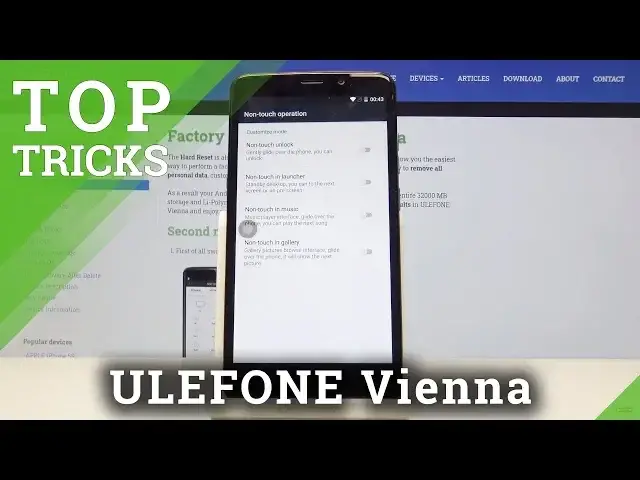
For example you can tap on No Touch Operation. And here you can turn on some of the options like No Touch Unlock, No Touch in Launcher
1:41
No Touch in Music and No Touch in Gallery. You can turn them on and off by just clicking the slider
1:49
Right here we have a Smart Wake. You can turn it on
1:53
We have Smart Answer. This basically will whenever somebody is calling you and you pick up the phone to your ear
1:59
it's gonna answer the call. Flip to Mute. When you flip your phone it's gonna mute the call
2:07
Flip to Mute Alarms. Same but for alarms. Pocket Mode will max your sound volume when your phone is in pocket
2:16
And Float Multitask. You can turn it off and on. Let's go back
2:24
Another thing I want to show you is in here in Accessibility
2:28
Let's tap on it. And now let's tap on Magnification Gestures. And in here let's turn it on
2:36
And this basically allows you to magnify your screen by just tapping three times on it
2:41
Like that. And you can move around with two fingers on the screen
2:47
And you can also zoom out and zoom in by pinching the fingers
2:52
And to exit the magnifications we just tap three times on the screen again
2:58
And the last thing I want to show you is Airplay Mode
3:03
And you can use it whenever you have problems with your service or roaming
3:08
You can just turn it on to disconnect from all the cell towers
3:14
And turn it off to connect to them again. And hopefully it will fix your service issues
3:22
And that should be all. Thank you for watching. And if you found this video helpful remember to subscribe to our channel and leave a like