0:00
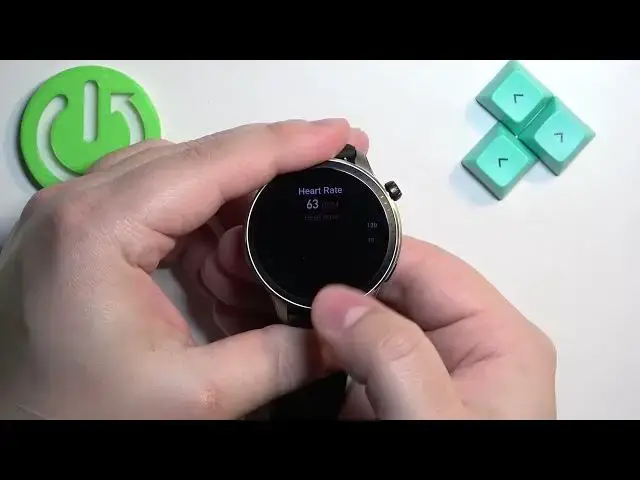
Welcome! In front of me I have Amazfit GTR 4 and I'm gonna show you how to measure the heart rate on this watch
0:10
Before we start, if you want to get the most accurate results of your measurements, make sure to put your watch on your wrist
0:17
secure it tightly so it doesn't move around and while you're measuring your heart rate try not to move too much
0:23
I'm just gonna put my finger on the sensor right here at the back of the watch but because of that
0:28
my results might be not too accurate. Now let's continue with the measurement. So first thing you
0:33
will need to do is to wake up the screen on your watch and you can do it by pressing the crown
0:38
button. After you wake up the screen you can press the crown button again to open the menu. Now in the
0:44
menu find the option called heart rate and tap on it to open the heart rate widget. Now I'm gonna
0:51
place the finger on the sensor and tap on this icon right here to start measurement. By default
0:58
it should start measuring the heart rate automatically but if it doesn't you can tap on this button right here
1:07
Okay I was waiting for it to stop the measurement but it looks like it's measuring the heart rate
1:11
in real time so that's why the number jumps around but once it stabilizes it should be your
1:15
current heart rate. As you can see it's around 60 and once you're done measuring the heart rate
1:20
you can always press the crown button to go back to watch face but before that you can also swipe
1:27
up on the screen and check more statistics like resting heart rate and heart rate range. You can
1:34
also see the heart rate zones like that and you have some more information about the heart rate
1:42
Okay and like I said before once you're done measuring you can press the crown button to go
1:46
back to watch face and that's how you measure the heart rate on this watch. Thank you for watching
1:55
If you found this video helpful please consider subscribing to our channel and leaving the like on the video