0:00
Here I have Microsoft Starface 3 and let me show you how to enter the troubleshoot mode
0:11
on the following device. So at the very beginning let's unlock the screen and then you have to connect your device
0:16
to a keyboard. So let me do it. This is my keyboard, let me connect my device
0:23
Let's input a micro USB cable. So you can connect any keyboard
0:27
Here I have my wireless small keyboard and it's enough for the following operations
0:32
So all you have to do right now is start holding shift key, right here, the left shift
0:37
And while holding shift you have to choose Windows button right here
0:41
Let's tap it. Select power and choose restart. Keep holding shift while the device is restarting
0:58
And you can release shift as soon as the following option pops up
1:04
As you can see here you can navigate by tapping appropriate options. You can choose continue to exit this mode and continue to booting into Windows 10
1:12
You can select turn off your PC to switch off your device. You can select use a device to use a USB drive, network connection or Windows recovery DVD
1:21
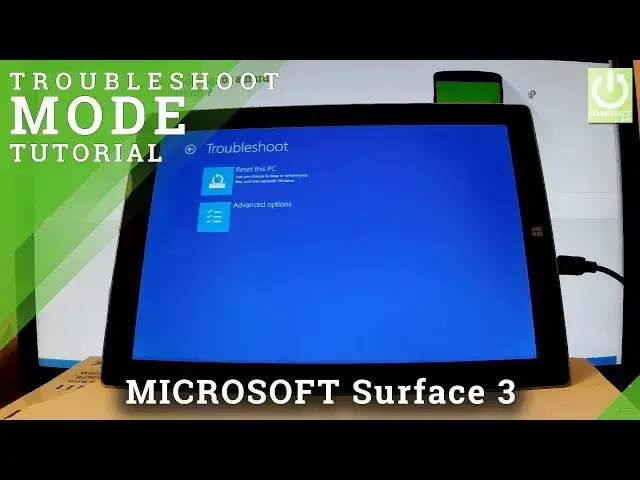
Or you can select troubleshoot. So as I said let me go into troubleshoot mode
1:26
And here you've got two options. You can choose reset this PC right here
1:30
And then you will be able to choose either you would like to keep or remove your files
1:35
and reinstall Windows. Or you can choose advanced options and here you have such things as system recovery, command
1:41
prompt, startup settings, startup repair, system image recovery and some more recovery
1:47
options right here. So if you would like to quit this mode simply use your back arrow a couple of times
1:54
And from the following menu you can choose either continue or turn off your PC
1:59
Let me choose continue. And now the device is restarting and booting into a normal mode
2:05
All you have to do is just wait a couple of seconds. Excellent
2:16
As you can see now you can unlock the device and start using your tablet
2:21
Thank you for watching! Please subscribe our channel and give thumbs up under the video