
TESLA Autopilot - How to Set Speed Limit
Jan 23, 2026

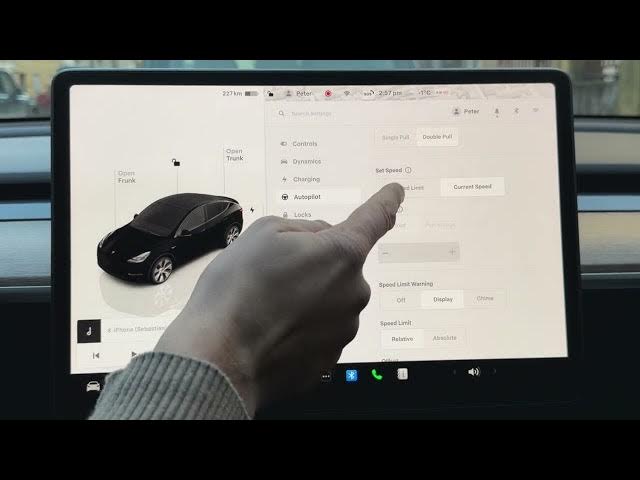
In this short video you'll learn how to find and change the Autopilot speed limit settings on any Tesla. We show where to open the car menu, how to enter Autopilot settings, and the difference between using the current speed, a fixed speed, an offset, or a percentage. You will also see how to set speed limit warnings (display or chime) and how to choose an absolute top speed for Autopilot so the car does not exceed your preferred limit.
How to set the Autopilot speed limit on Tesla?
How to use offset or percentage speed limits on Tesla Autopilot?
How to change speed limit warning and absolute speed limit on Tesla Autopilot?
0:00 Intro - What we will change
0:04 Open the standard screen and car menu
0:13 Tap the car icon (bottom-left)
0:16 Select Autopilot from the settings list
0:25 Focus on Speed Limit options
0:29 Use Current Speed vs Fixed Speed
0:45 Offset and Percentage settings (up to 30%)
1:00 Speed limit warning (display or chime) and absolute limit
1:26 Set absolute max speed (example 180 km/h)
1:38 Wrap up and subscribe
#Tesla #Autopilot #SpeedLimit #TeslaTips
Find out more:
Show More Show Less #Autos & Vehicles