Up next in 10


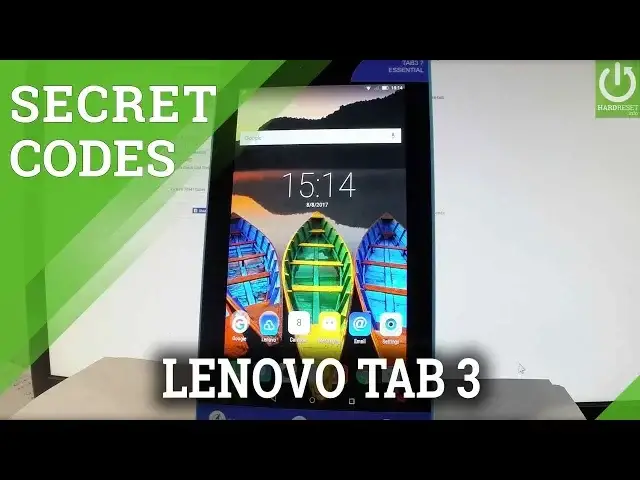
How to use secret codes in LENOVO Tab3 7 Essential? Which secret codes works on LENOVO Tab3 7 Essential? How to open hidden menu in LENOVO Tab3 7 Essential? How to to use advanced settings in LENOVO Tab3 7 Essential?
Tipis and Tricks in LENOVO Tab3 7 Essential. Open the phone's dialer and type in the secret codes. You can open the secret menu where you can find advanced features and detailes information.
More Info:
http://www.hardreset.info/devices/lenovo/lenovo-tb3-710f-tab3-7-essential/
Show More Show Less View Video Transcript
0:00
Here I have Lenovo Tab 3 and let me show you how to use secret codes on the following device
0:10
So at the very beginning let me start by using a homescreen, let's open a phone icon right
0:15
here and let's activate a keypad. Then let's use all secret codes that you know
0:20
Let's start by checking the version of the device, so let's input hash hash hash hash
0:25
0000 hash. And as you can see the version of the device just pops up on the screen
0:32
In order to close this window simply tap OK. Now let me show you how to open the test menu
0:37
The test mode let's use hash hash hash hash 1111 hash hash
0:45
And as you can see the factory kit test just pops up. Here you can accomplish the full test, the PCBA test or item test, let me tap item test
0:53
And here you can test such things as receiver, speaker, headset, FM radio, SIM detect, SD
0:58
card, GPS, Bluetooth, version info and other stuff. Let's go back two times and now let me show you how to enter the serial number menu
1:07
Let's use hash hash hash hash 2222 hash. And as you can see the serial number of the device just pops up on the screen, tap OK
1:17
to close this. Now it's time to enter the MTP logger, let's use hash hash hash hash 3333 hash
1:31
And MTP logger just pops up. Here you can accomplish some MTP log tests or you can also use back arrow to close this window
1:43
Let me also show you how to accomplish the hardest operation by using a secret code
1:47
Let's use hash hash hash hash 7777 hash. And if you would like to accomplish the hardest operation, so if you would like to erase all
1:58
users data and customize settings let's tap OK. But let's just be careful with that one if you don't want to do this, so let me tap cancel
2:06
right now. Let me show you the internal version, let's use hash hash hash hash 55993 hash
2:20
And as you can see the version of the device just pops up on the screen, let's tap OK to
2:24
close this. Now let me show you how to check other info, let's use hash hash hash hash 8375 hash
2:36
And as you can see the version info just pops up, let's tap cancel to cancel this window
2:41
And let me show you how to open the testing menu, so let's use the following secret code
2:45
star hash star hash 4636 hash star hash star. As you can see testing menu just pops up, here you can navigate by tapping appropriate
2:57
options, let's choose tablet information. And here you can choose run a ping test for example turn off the radio or read such things
3:04
as email number, phone number, current network, signal strength and other stuff
3:09
You may also tap more key. And choose select radio band, view sim address book, view fixed dialing numbers, view service
3:17
dialing numbers, get PDP list and enable data connection. Let me go back and this time let me choose battery information and here you can read
3:27
all important stats about your battery. You can for example read the battery status, the battery plug, battery level, battery scale
3:35
battery health and even the battery temperature. Let's go back and this time let me choose user statistics, here you've got list of all
3:42
apps from your device and you can read such things as last time used or usage time
3:48
Let's go back and let's choose VLAN information, here you can choose VLAN API, when you can
3:52
disable network, disconnect network, enable network, get configured networks or get connection info
3:59
Let's go back, you may also choose VLAN config right here and you can read the specified
4:05
information about your configured networks. In my case it's none right now
4:11
So let's go back and now let's choose VLAN status, here you've got statistics about your
4:17
Wi-Fi, you can refresh all stats or run a ping test. Let's go back a couple of times and now let me show you how to open the calendar info
4:28
Let's use star hash, star hash, 225, hash star, hash star and the calendar information
4:35
just pops up. Let's close this window by tapping back arrow. Now let me show you how to open the Google Play services mode
4:43
Let's use star hash, star hash, 426, hash star, hash star and the Google Play services
4:53
just pops up in front of you. Let's go back and now let me show you how to open debug UI
4:58
So let's use star hash, star hash, 759, hash star, hash star and the debug UI just pops up
5:08
Here you can view client IDs for example or change the OEM mode
5:12
Excellent, let's go back and at the end let me show you how to check email number by using
5:16
a secret code so let's use star hash, 06, hash and the email number just pops up
5:22
In order to close this window simply tap OK. Let's go back and now you may use your device in a normal mode
5:28
So everything went well, thank you for watching, please subscribe our channel and leave thumbs
5:32
up under the video
#Consumer Electronics
#Networking
#Software
#Gadgets & Portable Electronics
#Other
#Technical Reference