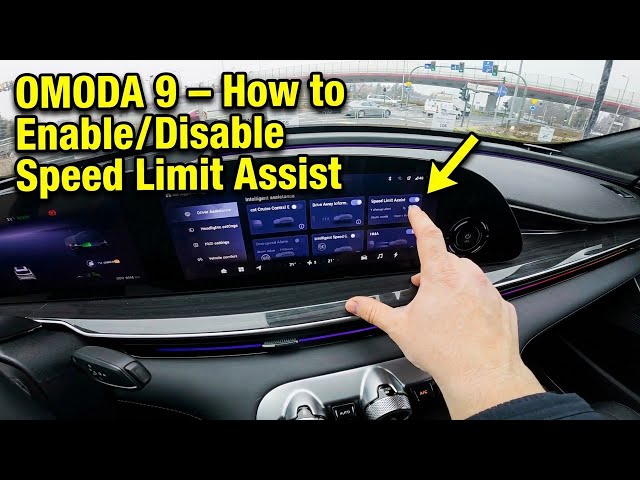

OMODA 9 – How to Enable/Disable Speed Limit Assist
Jan 12, 2026

In this short video you will learn how to enable and manage the Speed Limit Assistant on the OMODA 9. I show where to find the setting on the display and step through Home → Vehicle settings → Driver assistant → Intelligent assistance so you can turn Speed Limit Assist on or off. You will also see how to enable Speed Change Alert and change the alarm mode so the car notifies you when you approach a set limit. This guide is quick and simple, perfect for new OMODA 9 owners who want to use driver assistance features safely and confidently.
How to enable Speed Limit Assistant on OMODA 9?
How to disable Speed Limit Assist on OMODA 9?
Where is Speed Limit Assistant in OMODA 9 settings?
0:00 Intro — What we will show
0:06 Check the screen display and go to Home
0:18 Open Vehicle settings → Driver assistant
0:26 Enter Intelligent assistance and find Speed Limit Assist
0:29 Enable or disable Speed Change Alert and change alarm mode
0:34 Where the Speed Limit Assistant appears on screen
0:39 Outro — Like, comment and subscribe
#OMODA9 #SpeedLimitAssist #DriverAssistance #CarTech
Find out more:
https://www.hardreset.info/devices/omoda/omoda-9/enable-disable-speed-limiter-assistant/
Follow us on Instagram ► https://www.instagram.com/hardreset.info
Show More Show Less