0:00
Hi, welcome to HardwareIsDinfo channel, the viewers in front of me show me device
0:04
and now I can show you how to use several WhatsApp accounts on one show me device
0:14
first we need to open Play Store and download official WhatsApp application
0:23
how to check is application in Play Store official you need to click on it and if you will see here
0:29
WhatsApp LLC this application is official click install and wait a while
0:39
my Play Store has crashed I need to try again click open choose your language and click next agree allow and now you need to enter your phone
0:55
number you want to use in this application in our case it will 737-551-932
1:08
click ok continue allow allow and just wait a while of course I need to
1:18
to check it with the captcha because I'm trying to do it several times per day
1:29
and cool continue allow allow allow and cool as you can see I have installed and activated
1:43
the WhatsApp application how to activate a second account on the same device
1:50
to do it we don't need to install any applications we don't need to install
1:56
WhatsApp business or WhatsApp web or other duplicating apps no we have it inside our
2:05
system open settings scroll down find apps and here choose dual apps click create find here
2:14
WhatsApp and click dual apps and click turn on and now Xiaomi is creating the clone of our application
2:25
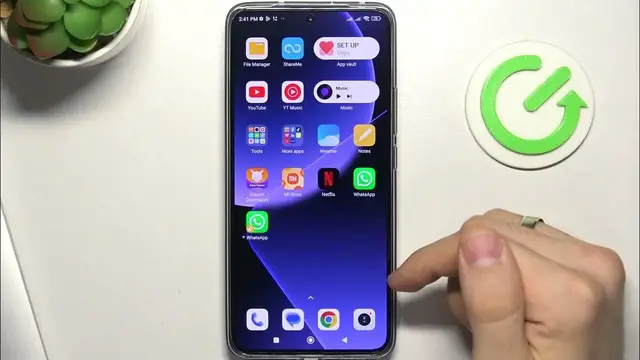
and as you can see here we have original WhatsApp application and cloned WhatsApp application
2:32
click on it choose language agree and continue allow and here enter several number your second
2:43
number in my case it will 531-846-903
2:52
and cool great allow allow and great so now we can send applications we can send applications we can send
3:12
messages to all accounts for example I will create a new contact inside test test
3:23
qwerty for example and it will 737-551-932 I'll just show you how it works
3:33
and when I will send message to qwerty wait a while and as you can see I have got the message on my several account
3:45
on my second account and as you can see I have two applications on the same device
3:56
that's it thanks for watching like this video subscribe to the our channel and bye see you