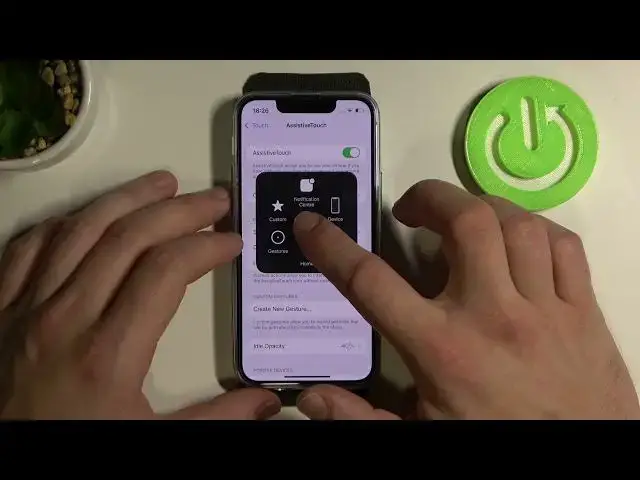

How to Turn On/Off Assistive Touch on iPhone 13 mini – Manage Assistive Ball
Jul 8, 2024

Check out more info about iPhone 13 mini:
https://www.hardreset.info/devices/apple/apple-iphone-13-mini/
Interested in how to smoothly manage assistive touch on iPhone 13 mini? Do you want to check out how to manage assistive ball on iPhone 13 mini? In the attached instructions, we explain to you how to turn on/turn off an assistive touch in iPhone 13 mini. If you have difficulty touching the screen of it you require an adaptive accessory on iPhone13 mini, follow the enclosed instructions and without any problem, turn on assistive touch on the presented model of iPhone. Let’s use the attached instructions and set floating dock on iPhone 13 mini. Visit our HardReset.info YT channel and discover many useful tutorials for iPhone 13 mini.
How to turn on assistive touch on iPhone 13 mini? How to switch on assistive ball on iPhone 13 mini? How to manage accessibility settings on iPhone 13 mini? How to activate assistive touch on iPhone 13 mini? How to enable assistive ball on iPhone 13 mini? How to how to set floating dock on iPhone 13 mini?
#AssistiveTouch #AssistiveBall #iPhone13mini
Follow us on Instagram ► https://www.instagram.com/hardreset.info
Like us on Facebook ► https://www.facebook.com/hardresetinfo/
Tweet us on Twitter ► https://twitter.com/HardResetI
Support us on TikTok ► https://www.tiktok.com/@hardreset.info
Use Reset Guides for many popular Apps ► https://www.hardreset.info/apps/apps/
Show More Show Less