0:00
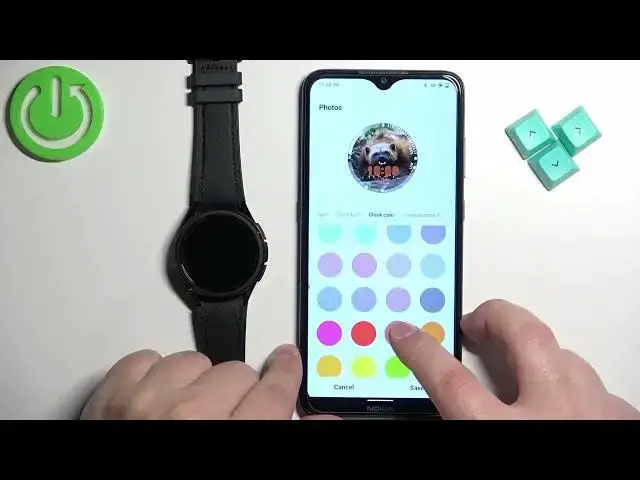
Welcome. In front of me I have Samsung Galaxy Watch 6 Classic and I'm going to show you how to set an image as a watch face on this watch
0:09
Basically if you want to use a own image or a picture as a watch face
0:16
For we start, if you want to set an image as a watch face on this watch, your watch needs to be paired with a phone via the Galaxy wearable application
0:25
Once the devices are paired together, we can continue. And now we can open the Galaxy Wearable application on the Fondola is paired with our watch
0:35
After you open the app, you should see your Galaxy Watch 6 Classic right here
0:39
Now find the Watch District option and tap on it. And here, scroll down through the categories of watch faces and find the category called Basic
0:48
And in this category, you should see the watch face called Photos
0:53
Tap on it. Once it gets selected, you can see it got selected and it got applied on your watch, tap
1:03
on the customize button. And here we can customize our watch face
1:09
We can select the type of the clock. Like this Once you select the type tap on background and here we can tap on the plus button and select the gallery option or camera option
1:26
If you select the camera option, it will open the camera app, you can take a photo and use
1:32
that photo as a watch face. If you select gallery option, it will open the File Manager on your phone and you can select
1:37
the picture from your phone. So let's select gallery, for example. As you can see, it opened the app
1:45
We can tap on the download folder and select picture. And then we can tap on done
1:52
And then we need to customize the picture. Basically, we need to crop it, so we can zoom and zoom out
1:58
We can also move around like this. Another thing we can do is to increase brightness, lower the brightness
2:07
We can increase the exposure, lower the exposure for the picture. Basically, you can customize this
2:12
picture according to your liking. Okay. And you have more options like contrast
2:21
highlight and shadows. And once you're done customizing your picture, basically whatever is going to be on this
2:27
or rather in this circle, is going to be on our watch face. So position the picture the way you want it to be Then tap on done And the picture was added and we have a preview of our watch face You can also have multiple pictures if you want as a watch face
2:44
You can simply tap on the plus button to add another one if you want to
2:54
Like this. And you can also tap on pictures right here to basically select the
3:01
I can select the album. So you can select the album of photos as a watch face
3:06
and it's going to cycle between the photos from the album. But I'm not going to do that right now
3:10
Anyway, once you select the background, tap on clock type. And here you can customize the type of the clock if you want to
3:19
Then we have a clock font. You can select the font of the clock
3:23
Then we have clock color. So you can change the color of the clock. Then we have the complication
3:31
and here we can set up the widgets. And we have the complication one
3:36
and we can select something like, I don't know, maybe. Let's select sunrise, sunset
3:48
Next we have complication two. Here let select the battery then let select heart rate maybe not heart maybe sleep and then let select the heart rate
4:02
Where is it? Right here. Okay, then we have the complication five
4:07
It's right under the clock. Let's leave it at date. Then complication color
4:12
And here we can select the color of the complications. Let's select something maybe more visible
4:21
This is not going to be more visible. Good enough. Okay. And once you're done customizing this, you can tap on safe
4:31
And the watch face will be applied on your watch, as you can see. And if you have more than one photos as a watch face
4:38
I believe you can tap on the current watch face to cycle between them
4:43
And also if the screen turns off and you wake it up
4:47
it should also cycle between them each time you wake up the screen
4:51
And once you're done, you can close the app, and that's how you set an image as a watch face on this watch
4:58
Thank you for watching. If you found this video helpful, please consider subscribing to our channel and leaving a like on the video