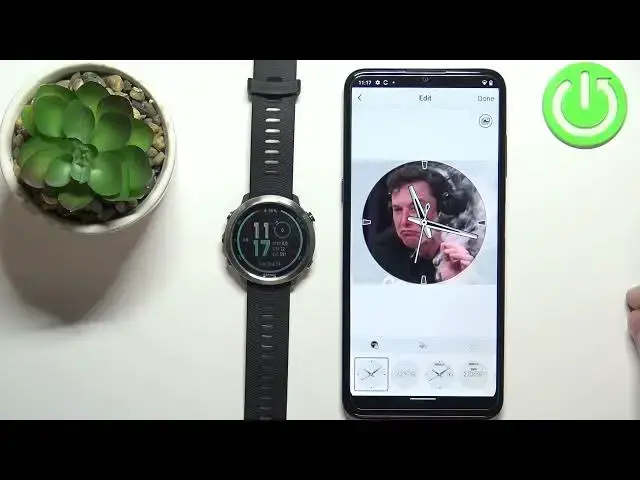

How to Set Up GARMIN Forerunner 645 Face With Custom Image - Change Watch Face
Jul 1, 2024

Find out more info about GARMIN Forerunner 645:
https://www.hardreset.info/devices/garmin/garmin-forerunner-645/
Did you know that you can set any picture as a watch face on your GARMIN Forerunner 645? If you want to know how to customize your GARMIN watch, check out this tutorial. To do this, you need to connect your smartwatch with your smartphone and download the Connect IQ Store app. Then find out what you need to do to quickly create and send unique watch faces to your Garmin watch. You can use any photo from your gallery on your smartphone, or use the camera and take a photo immediately. Also, learn how to change the appearance of the clock. If you want to know more about the GARMIN Forerunner 645, visit our YouTube channel.
How to switch to a previously installed watch face on GARMIN Forerunner 645? How to change pre-installed watch face on GARMIN Forerunner 645? How to change watch face on GARMIN Forerunner 645? How to edit watch face on GARMIN Forerunner 645? How to set custom watch face on GARMIN Forerunner 645?
#ChangeWatchFace #SetCustomWatchFace #GARMINForerunner645
Follow us on Instagram ► https://www.instagram.com/hardreset.info
Like us on Facebook ► https://www.facebook.com/hardresetinfo/
Tweet us on Twitter ► https://twitter.com/HardResetI
Support us on TikTok ► https://www.tiktok.com/@hardreset.info
Use Reset Guides for many popular Apps ► https://www.hardreset.info/apps/apps/
Show More Show Less #Fitness
#Consumer Electronics
#GPS & Navigation
#Software
#Outdoors
#Electronic Accessories