0:00
Hi everyone in front of me I've got Motorola RAZR 2022 and let me share with you how to
0:05
change this navigation type with the buttons to the gestures. So first of all we have to enter the settings and now as you can see actually we can tap just here
0:18
because we've got let's say kind of a hint that we can change the system navigation but if for
0:24
some reason you cannot find it here no worries all you have to do is to simply scroll down to
0:28
the very very bottom and tap on system now let's tap on the gestures it should be on the fourth
0:33
position and now on the third on the third position yes we've got this system navigation so
0:39
let's enter and the two different options three buttons navigation which we've got currently
0:45
applied of course unfortunately we cannot customize it so even if you will decide that
0:50
you want to stick with this option you cannot customize to personalize it so all we can do
0:55
here is to simply change it to the gestures so let's tap on it and as you can see of course
1:01
here you've got the animation which will show you how to use this navigation type
1:07
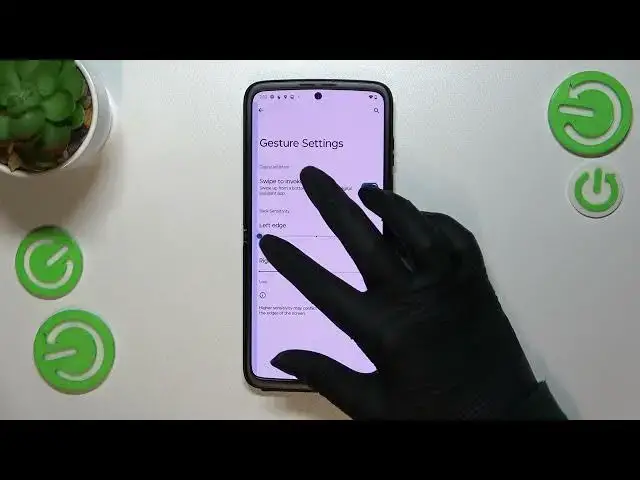
but of course I'll show you also but first of all let's enter the settings here let's
1:12
take a look what we can customize so as you can see we've got the digital assistant so we can
1:17
swipe to invoke the assistant you can keep this option turned on or off it's up to you and here
1:22
we've got the back sensitivity and to be honest I highly recommend to simply come back to this
1:27
gesture settings after a while of using the gestures because you will simply learn how to
1:33
use this mode and you will decide what kind of settings will be the most comfortable for you
1:39
because here you can change the back sensitivity which simply means that you can make it lower or
1:44
higher and it just means that you will change this area which will be responsible for
1:51
your back back gestures so that's why I really recommend to use the gestures for a while and then
1:59
you will decide if you need a higher like a bigger area or or lower or smaller area all right so now
2:07
let me show you how to use the gestures so basically if you'd like to get back to the previous
2:12
page just like by using the back button you have to swipe your finger from the side to the center
2:17
of your device and it doesn't really matter from which side you will do it because it works the
2:21
same as you can see after swiping we can see this arrow here and after releasing the finger we will
2:28
simply get back to the previous page and as I said the same situation from the right side if you'd
2:33
like to get back to the home page then all you have to do is to simply swipe your finger up
2:37
fastly just like that from the bottom to the center and as you can see we've got the home page
2:42
and in order to open the recent we have to swipe our finger up again from the bottom to the center
2:48
but this time do it kind of slowly and hold your finger somewhere here and after releasing you can
2:54
see that here we've got all previously opened ups so basically that's all this is how to set the
3:00
gestures in your Motorola RAZR 2022. Thank you so much for watching I hope that this video was
3:06
helpful and if it was please hit the subscribe button and leave the thumbs up