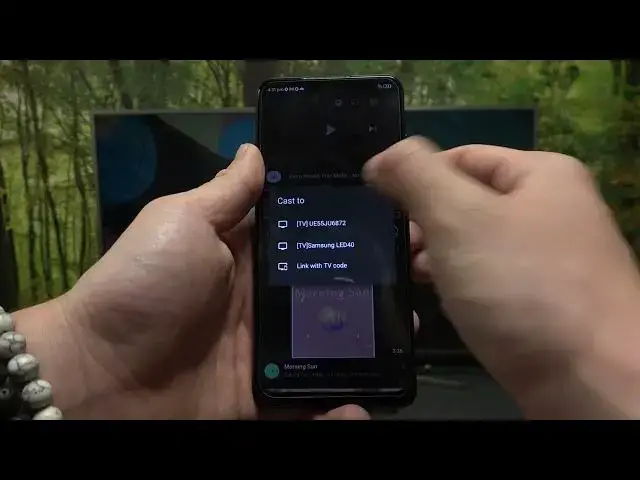

How to ScreenCast from a YouTube App on ZTE Blade A72S - Mirror the Screen to SmartTV
Aug 2, 2024

Learn more about the ZTE Blade A72S: https://www.hardreset.info/devices/zte/zte-blade-a72s/tutorials/
Want to enjoy your favorite YouTube videos on a bigger screen? Look no further! In this YouTube tutorial, we'll show you how to effortlessly mirror the YouTube app from your ZTE Blade A72S to your Smart TV. Whether you want to watch music videos, vlogs, or any other content, mirroring allows you to enjoy an immersive viewing experience. We'll guide you through the step-by-step process of connecting your ZTE Blade A72S and Smart TV using built-in screen mirroring technology. No additional apps or complicated setups required! Get ready to transform your living room into a personal theater. Join us now and unlock the power of mirroring YouTube to your Smart TV using your ZTE Blade A72S!
How to stream a YouTube app on a ZTE Blade A72S device to a SmartTV? How to screencast a YouTube on a ZTE Blade A72S phone to an external display? How to connect a YouTube app to SmartTV on ZTE Blade A72S?
#ZTEBladeA72S #YouTube #ZTEApps
Follow us on Instagram ► https://www.instagram.com/hardreset.info
Like us on Facebook ►
https://www.facebook.com/hardresetinfo/
Tweet us on Twitter ► https://twitter.com/HardResetI
Support us on TikTok ► https://www.tiktok.com/@hardreset.info
Use Reset Guides for many popular Apps ► https://www.hardreset.info/apps/apps/
Show More Show Less