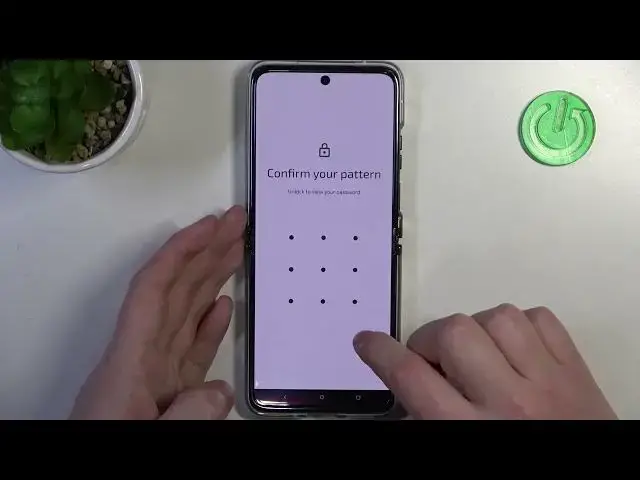

How to Manage Google Passwords on MOTOROLA Razr 40 Ultra
Mar 16, 2024

Learn more about the MOTOROLA Razr 40 Ultra: https://www.hardreset.info/devices/motorola/motorola-razr-40-ultra/tutorials/
Keep your digital life secure and organized by mastering password management on your MOTOROLA Razr 40 Ultra. In this informative video, we'll walk you through the process of managing saved passwords on your device, helping you stay organized and protect your sensitive information. Discover how to access the built-in password manager, view and edit saved passwords, and enable autofill for quick and convenient logins. We'll also explore tips for creating strong and unique passwords, as well as best practices for keeping your passwords safe. Whether you're a beginner or an experienced user, this tutorial will equip you with the knowledge and tools to effectively manage your saved passwords on the MOTOROLA Razr 40 Ultra. Kindly enjoy!
How to save passwords to Google on a MOTOROLA Razr 40 Ultra? How to manage saved passwords on a MOTOROLA Razr 40 Ultra? How to find saved credentials on a MOTOROLA Razr 40 Ultra? How to remove saved passwords on a MOTOROLA Razr 40 Ultra?
#MOTOROLARazr40Ultra #GooglePassword #MOTOROLASecurity
Follow us on Instagram ► https://www.instagram.com/hardreset.info
Like us on Facebook ►
https://www.facebook.com/hardresetinfo/
Tweet us on Twitter ► https://twitter.com/HardResetI
Support us on TikTok ► https://www.tiktok.com/@hardreset.info
Use Reset Guides for many popular Apps ► https://www.hardreset.info/apps/apps/
Show More Show Less