0:00
Welcome. In front of me is a Vivo Y21s and today I'll show you how you can enable and set up your Do Not Disturb mode
0:12
So to get started, pull down your notifications by swiping down on your screen
0:16
swipe down once again to extend the list of toggles and from here you're looking for the Do Not Disturb toggle. If it's not on the first page, swipe to the left and this will show you a
0:25
secondary page where my Do Not Disturb is located. Once you see this toggle, you can hold it first time around which will take you to the settings. Here
0:35
customize this to fit your needs. I'm just gonna quickly glance over a couple of these settings that I would deem
0:43
worth mentioning. So under people you can select who can message you and call you
0:50
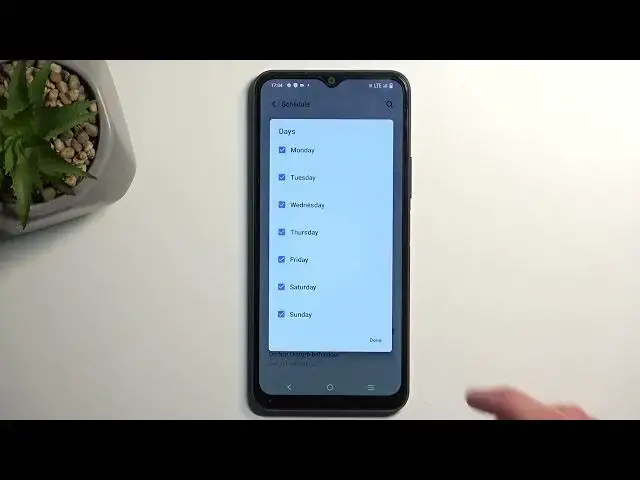
We have a schedule, so here you can set up a fully automated schedule
0:55
so it turns on and off the Do Not Disturb mode at a provided day of the week and
1:01
start and end time. And you can have multiple days of the week checked. As you can see here
1:06
it's all week long. Now you can obviously deselect specific weeks or days of the week
1:12
And also the last thing is the duration for quick settings. Now this one I recommend selecting on a timer
1:20
I personally would select it on a about 4 hour timer and what this will do is when it's set like this, whenever you tap on the toggle
1:29
manually, it will turn on the Do Not Disturb mode for exactly 4 hours. This is how it's set for me
1:36
And after 4 hours, it will turn off on its own. Now the reason I recommend setting this up is because for me
1:42
I would just use this mode occasionally and occasionally when I'm using it, I don't really keep it in mind
1:49
So I turn it on when I need it and completely forget about it once I'm done needing it
1:53
Therefore, it will be running indefinitely in the background till I remember about it
1:58
Now this option will ensure that even when I forget about it, because I'm a forgetful person
2:05
the phone will remember it for me and disable it after 4 hours. Now the timer
2:09
I would obviously recommend selecting it to be high enough to cover whatever the need for your Do Not Disturb mode is, plus a little bit extra
2:19
So there we go. And that's really all the worth mentioning settings here
2:23
So from here, we can just close this and whenever you want to enable your Do Not Disturb mode manually, simply find a toggle
2:30
tap on it, and you're good to go. Now with this option set with a timer on, it also tells you till what time it will be running
2:37
So as you can see, it tells me it's gonna be running till 9.05 and at that point, it's gonna automatically turn off, but I can turn it off myself by tapping on the toggle
2:48
So there we go. Now if you found this very helpful, don't forget to hit like, subscribe and thanks for watching