0:00
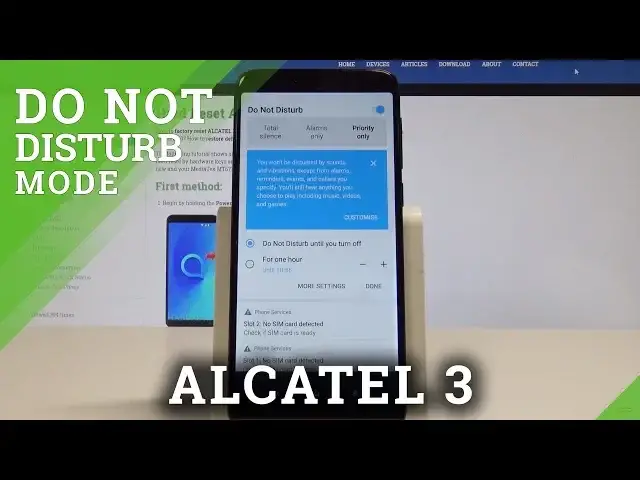
Here I have Alcatel Free and let me show you how to use Do Not Disturb mode on the following device
0:14
So at the very beginning let me show you how to quickly enable Do Not Disturb, let's use
0:19
upper bar twice, swipe to the left and let's tap on Do Not Disturb
0:23
Right now we are using the alarms only, but if you use this arrow right here, you can
0:29
see that you can switch your Do Not Disturb to the total silence, so this block all sounds
0:35
and vibrations. You can also choose priority only, so you won't be disturbed by sounds and vibrations
0:41
except from alarms, reminders, events and other customized rules. And of course you can also go back to alarms only
0:49
You can also set up the time, so you can switch on Do Not Disturb for an hour, for two hours
0:54
or for another period of time or you can just choose Do Not Disturb until you turn
0:59
it off. So basically that's it, let me tap done. As you can see the icon of Do Not Disturb is right here, but for now let me disable
1:08
this mode and you may also find the Do Not Disturb in settings, so let me do it
1:15
Let's tap apps icon, find and select the settings. From the list of settings let's find and select sound
1:23
Here you should find Do Not Disturb right here, Do Not Disturb preferences and here
1:28
you can customize your priority rules, so let me tap it. And here you can enable messages and calls from some favorite contacts or from other
1:37
group of people. You can also handle with reminders and events and you can enable the repeat callers
1:44
So basically that's it, everything is right here. If you go back you can also choose some automatic rules to switch on Do Not Disturb every weekend
1:54
every weeknight, every event or you can add some customized rule. So that's it, everything went well, thank you for watching
2:01
Please subscribe our channel, leave thumbs up under the video