0:00
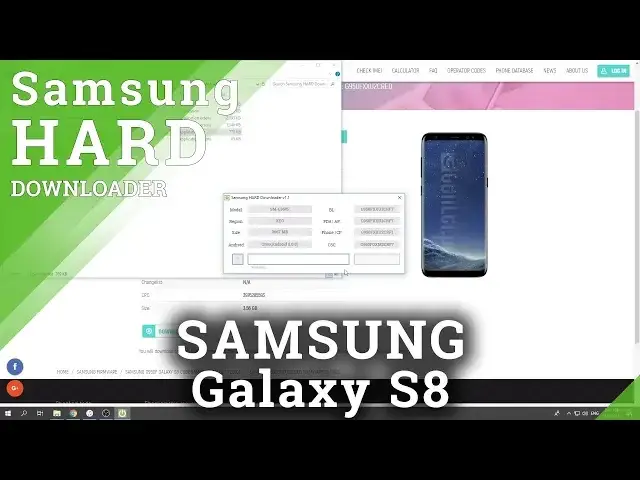
In this video let me show you how to download the latest version of the Samsung Galaxy S8 firmware
0:12
So at the very beginning let's enter the following website email.info download firmware samsung
0:17
the link will be of course in the description under the video and afterwards you need to
0:23
enter here the device name or code name. So as I said let me download the firmware to the Galaxy S8 so let me for example just
0:33
input the Galaxy S8. As you can see here you've got your device let's tap it
0:40
You need to choose your code name so in my case it will be the following one sm slash
0:45
gg950f let me choose it
0:55
And here you've got the table with country and carrier. So at the very beginning let's find your country in my case it will be Poland and here you've
1:05
got available carriers. So in my case let me use the firmware without the carrier so open firmware so let me just
1:15
tap it right here. Here you've got old version of the firmware let me choose the first one let's just tap
1:25
it right here. Here you've got the firmware details information if everything is correct let's tap download
1:31
here you've got also the size make sure that you have enough space on your local disk let's
1:35
tap download. And right now you are downloading the Samsung card downloader so it's now you can unpack
1:48
the folder with the downloader let's just unpack here for example tap OK
1:59
Right now let's open the downloader right here this is the application that you need
2:04
to use tap yes. As you can see here you've got the downloader let's wait a couple of seconds and here you've
2:16
got the size of the firmware the Android version right here this Android 8.0.0 CSC
2:24
number CP, AP and BL and everything is exactly as it was on the website so now all you need
2:34
to do is just tap download right here. Let's choose the location tap save
2:42
Here you've got the progress bar so let's wait until the downloading will be completed
3:12
As you can see now the Sam hard downloader is decrypting the firmware so let's just wait
4:27
Excellent as you can see the decrypting is done now you can close the program and open
4:32
the download folder so let me click on that key. And now let's open the folder with the with your firmware right here let's see unpack
4:50
the firmware as well tap OK. Let's wait until the unpacking will be done just to use your firmware
5:45
Excellent the unpacking is done now you can open the folder and here you've got all files
5:56
with your firmware so now you can flash your device you can check out how to do it on our
6:00
other videos. So that's it everything went well thank you for watching please subscribe our channel
6:05
leave thumbs up under the video