0:00
We are thrilled to welcome you on the Hard Reset YouTube channel and in today's short and simple video I'll show how you can remap and change the front dial controls on this DJI RSC2 gimbal
0:17
So to start you will need to power your gimbal on, just hold the side power key for a few seconds to do that
0:29
Then on your left side you'll find this dial, so not only it is a dial, it also doubles as a button, so press this dial button
0:40
Now use the dial to find front dial option here, select it, then go into functions and now you can change its function between focus motor, focus zoom, ISO, aperture, shutter, roll that is set to now, so that's the roll, pan, tilt
1:08
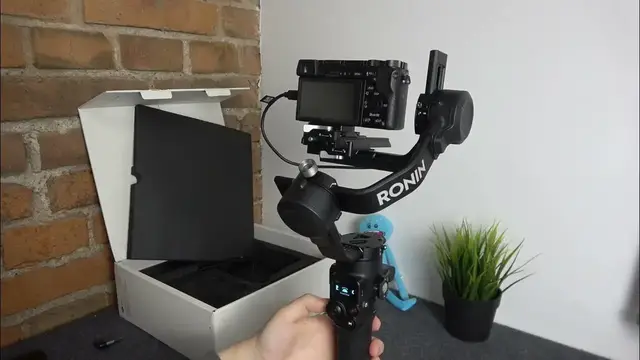
So actually let me quickly connect my gimbal to the camera, set this dial to be responsible for zoom and show how well and convenient it works actually
1:24
But in your particular case you can bind whatever function you see necessary
1:30
So what I was saying, I wanted to use it as zoom, right
1:36
Focus zoom, let's do that, select it, now we can get back, power the camera on, I hope, yep, it should have my memory card in so it should work
1:47
So where is the power on button? Yep. So let's check if it works, it sure does
1:55
And now let's use the front dial and see whether, or actually, what happened
2:07
So apparently something is wrong on the camera side, so I will probably need to just go into the front dial functions and set some other function, like shutter button maybe? Let's see, will it work then
2:27
Apparently it will not. Or what? Yeah, something is just wrong with the camera to gimbal connection from what I can see
2:41
So probably let's just select the, I don't know, what axis, it was set to be at the roll, right
2:50
Yeah, now it rolls just fine. Let me switch off the camera, I don't need it anymore if it doesn't work
2:57
Or I can like, I don't know, I can set it to pan, and if I were to use the dial, as you can see the pan axis will be moving, or I might as well just set it to tilt, and the tilt will happen also
3:11
Anyway, as far as this video goes, that will be it, so thanks for watching, thanks for your attention, and bye bye