0:00
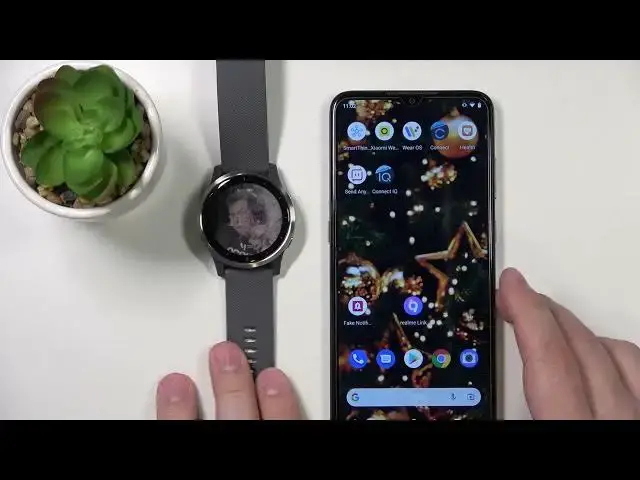
Witajcie, przed sobą mam Garmin Vivoactive 4 i pokażę wam jak ustalić menu kontrolne na tym urządzeniu
0:15
Najpierw otwórzmy menu kontrolne. Aby otworzyć menu kontrolne, po prostu wciśnijcie i trzymajcie górną butelkę na kilka sekund i menu kontrolne powinno pojawić się na twoim ekranie
0:26
W menu kontrolnym mamy po prostu krótki wyjazd dla różnych opcji. Mamy krótki wyjazd dla mocy Do Not Disturb, oświetlenia, oświetlenie, powietrze, zapłata, Garmin Pay, muzyka, znalezienie telefonu, serwis lokacji, odłączenie z telefonu i czasowy
0:51
Możemy ustalić to menu. Można to zrobić na kilka sposobów. Pierwsza sposób, jak ustalić to menu, to otwórzmy menu kontrolne
1:02
Po otworzeniu menu kontrolne, trzymajcie górną butelkę, aby wejść do mody edytowania
1:09
Możemy zrobić kilka rzeczy. Możemy wyciągnąć ikony z menu, kliknąć na ikonę i kliknąć na bina, aby ją wyciągnąć
1:19
Możemy dodać nowe ikony, jeśli mamy wolne miejsce. Kliknijcie na plus i widzicie listę krótkich wyjazdów, które można dodać
1:28
Na przykład dodajmy światła. Można też odpisać ikony na listie. Aby to zrobić, kliknijcie na ikonę, którą chcesz zmienić, a potem kliknijcie na ikonę, którą chcesz zmienić
1:41
Na przykład zmienimy ją do muzyki. Tak to. Po tym, kliknijcie na górną butelkę, a nie na górną butelkę, aby wrócić do mody edytowania
1:56
Kolejny sposób, aby ustalić menu, to przez ustawienia. Możemy kliknąć i trzymać górną butelkę, aby otworzyć menu
2:04
Przeskocz, kliknij na ustawienia. W ustawieniu wybierzmy menu kontrolne. I znowu, możemy ustalić to, jak chcemy
2:15
A potem kliknijcie na górną butelkę, aby wrócić do mody edytowania. I ostatni sposób, aby ustalić menu, to przez aplikację Garmin Connect
2:25
jeśli telefon jest podłączony z swoją łatwą. Zobaczmy, co teraz się dzieje
2:33
Zobaczmy, co teraz się dzieje. Zobaczmy, co teraz się dzieje. Zobaczmy, co teraz się dzieje. Zobaczmy, co teraz się dzieje
2:37
Zobaczmy, co teraz się dzieje. Zobaczmy, co teraz się dzieje. Zobaczmy, co teraz się dzieje. Zobaczmy, co teraz się dzieje
2:41
Zobaczmy, co teraz się dzieje. Zobaczmy, co teraz się dzieje. Zobaczmy, co teraz się dzieje. Zobaczmy, co teraz się dzieje
2:45
Zobaczmy, co teraz się dzieje. Zobaczmy, co teraz się dzieje. Zobaczmy, co teraz się dzieje. Zobaczmy, co teraz się dzieje
2:49
Zobaczmy, co teraz się dzieje. Zobaczmy, co teraz się dzieje. Zobaczmy, co teraz się dzieje. Zobaczmy, co teraz się dzieje
2:53
Zobaczmy, co teraz się dzieje. Zobaczmy, co teraz się dzieje. Zobaczmy, co teraz się dzieje. Zobaczmy, co teraz się dzieje
2:57
Zobaczmy, co teraz się dzieje. Zobaczmy, co teraz się dzieje. Zobaczmy, co teraz się dzieje. Zobaczmy, co teraz się dzieje
3:14
Zobaczmy, co teraz się dzieje. Zobaczmy, co teraz się dzieje. Zobaczmy, co teraz się dzieje. Zobaczmy, co teraz się dzieje
3:18
Zobaczmy, co teraz się dzieje. Zobaczmy, co teraz się dzieje. Zobaczmy, co teraz się dzieje. Zobaczmy, co teraz się dzieje
3:22
Zobaczmy, co teraz się dzieje. Zobaczmy, co teraz się dzieje. Zobaczmy, co teraz się dzieje. Zobaczmy, co teraz się dzieje
3:26
Zobaczmy, co teraz się dzieje. Zobaczmy, co teraz się dzieje. Zobaczmy, co teraz się dzieje. Zobaczmy, co teraz się dzieje
3:43
Zobaczmy, co teraz się dzieje. Zobaczmy, co teraz się dzieje. Zobaczmy, co teraz się dzieje. Zobaczmy, co teraz się dzieje
3:47
Zobaczmy, co teraz się dzieje. Zobaczmy, co teraz się dzieje. Zobaczmy, co teraz się dzieje. Zobaczmy, co teraz się dzieje
3:51
Zobaczmy, co teraz się dzieje. Zobaczmy, co teraz się dzieje. Zobaczmy, co teraz się dzieje. Zobaczmy, co teraz się dzieje
3:55
Zobaczmy, co teraz się dzieje. Zobaczmy, co teraz się dzieje. Zobaczmy, co teraz się dzieje. Zobaczmy, co teraz się dzieje
3:59
Zobaczmy, co teraz się dzieje. Zobaczmy, co teraz się dzieje
4:14
Zobaczmy, co teraz się dzieje. Zobaczmy, co teraz się dzieje. Zobaczmy, co teraz się dzieje. Zobaczmy, co teraz się dzieje
4:18
Zobaczmy, co teraz się dzieje. Zobaczmy, co teraz się dzieje. Zobaczmy, co teraz się dzieje. Zobaczmy, co teraz się dzieje
4:22
Zobaczmy, co teraz się dzieje. Zobaczmy, co teraz się dzieje. Zobaczmy, co teraz się dzieje. Zobaczmy, co teraz się dzieje
4:26
Zobaczmy, co teraz się dzieje. Zobaczmy, co teraz się dzieje. Zobaczmy, co teraz się dzieje. Zobaczmy, co teraz się dzieje