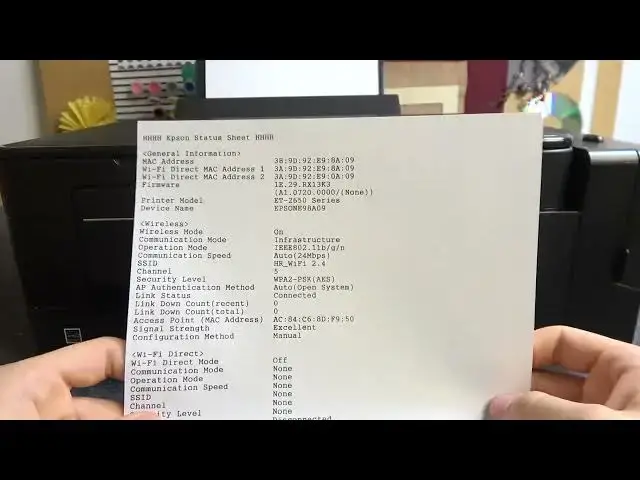

How To Check IP Using Printing In Epson ET 2650
Mar 16, 2024

Visits Our Website For More Tutorials : https://www.hardreset.info
In this video tutorial, we will guide you on how to check the IP address using the printing function on your Epson ET 2650 printer. Checking the IP address of your printer is essential for various reasons, such as troubleshooting network connectivity issues, setting up wireless printing, or configuring printer settings.
Epson ET 2650 IP address check tutorial
How to check IP address using printing on Epson ET 2650
Finding IP address information on ET 2650 printer
Accessing network settings on Epson ET 2650
Step-by-step guide to check IP address on Epson printer
Troubleshooting network connectivity with IP address check
#epsonprinter #epson #printer
Follow us on Instagram ► https://www.instagram.com/hardreset.info
Like us on Facebook ► https://www.facebook.com/hardresetinfo/
Tweet us on Twitter ► https://twitter.com/HardResetI
Support us on TikTok ► https://www.tiktok.com/@hardreset.info
Use Reset Guides for many popular Apps ► https://www.hardreset.info/apps/apps/https://www.hardreset.info
Show More Show Less