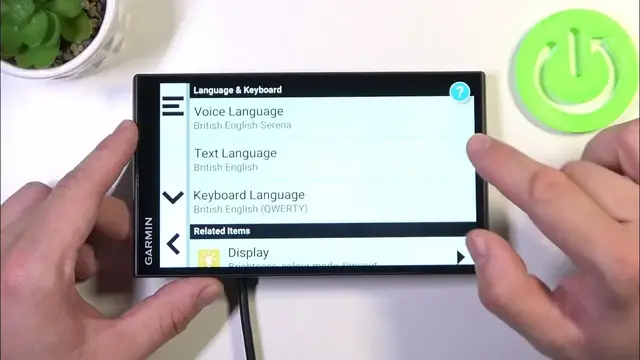

How to Change System Language on GARMIN DriveSmart 76 MT S?
Jan 19, 2024

To learn more, visit our website: https://www.hardreset.info/
In this tutorial, we will guide you through the process of changing the system language on your GARMIN DriveSmart 76 MT S navigation device. Having the right language settings is crucial for a smooth and hassle-free user experience. We'll show you step-by-step how to access the language settings and select your preferred language from a list of available options.
Whether you need to switch to a language you're more comfortable with or if you're sharing the device with someone who prefers a different language, this tutorial will ensure you can easily customize the language settings to your liking. By the end of this tutorial, you'll have your GARMIN DriveSmart 76 MT S speaking your preferred language, making your navigation experience even more user-friendly.
How to access the language settings on my GARMIN DriveSmart 76 MT S?How to change the system language to a different one on my navigation device? How to switch from the default language to another language of my choice? How to find and select languages that are available for my GARMIN DriveSmart 76 MT S? How to change the system voice language along with the display language? How to set up multiple languages on the device for multilingual usage? How to reset the system language to the default setting if needed? How to ensure that the text and voice guidance are both in the same language? How to confirm the language change and save the new settings? How to troubleshoot language-related issues if the change isn't working as expected on my GARMIN DriveSmart 76 MT S?
#ChangeLanguage #LanguageSettings #GARMINDriveSmart76MTS
Follow us on Instagram ► https://www.instagram.com/hardreset.info
Like us on Facebook ► https://www.facebook.com/hardresetinfo/
Tweet us on Twitter ► https://twitter.com/HardResetI
Support us on TikTok ► https://www.tiktok.com/@hardreset.info
Use Reset Guides for many popular Apps ► https://www.hardreset.info/apps/apps/
Show More Show Less