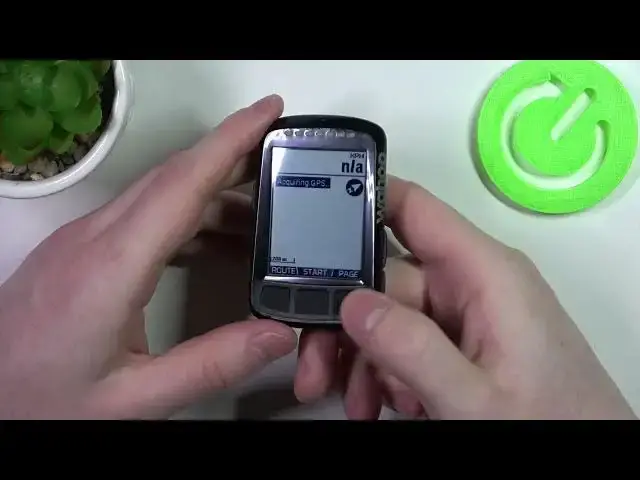

How to Change Page on Wahoo Element Bolt - Easy Step-by-Step Guide
Jul 28, 2024

Find out more about WAHOO Elemnt Bolt GPS V2: https://www.hardreset.info/devices/wahoo/wahoo-elemnt-bolt-gps-v2/
In this video, we will guide you through the easy step-by-step process of changing the page on your Wahoo Element Bolt. This comprehensive tutorial is perfect for both beginner and advanced users who want to learn how to navigate and customize their Wahoo Element Bolt. We will cover everything you need to know, including how to change the page layout, how to add or remove data fields, and how to customize your screens. We will also share tips and tricks to help you get the most out of your Wahoo Element Bolt.
To get started, you will need to access the settings menu on your device. From there, we will walk you through the process of making changes and customizing your pages. Whether you are looking to improve your training or just want to personalize your device, this tutorial will show you how to do it all. If you found this tutorial helpful, please like, subscribe, and share it with your friends. We appreciate your support and would love to hear your feedback in the comments below.
#WahooElementBolt #ChangePage #CustomizeScreens
How do I switch screens on a WAHOO Elemnt Bolt GPS V2?
How to find a new screen on a WAHOO Elemnt Bolt GPS V2?
Follow us on Instagram ► https://www.instagram.com/hardreset.info
Like us on Facebook ► https://www.facebook.com/hardresetinfo/
Tweet us on Twitter ► https://twitter.com/HardResetI
Support us on TikTok ► https://www.tiktok.com/@hardreset.info
Use Reset Guides for many popular Apps ► https://www.hardreset.info/apps/apps/
Show More Show Less