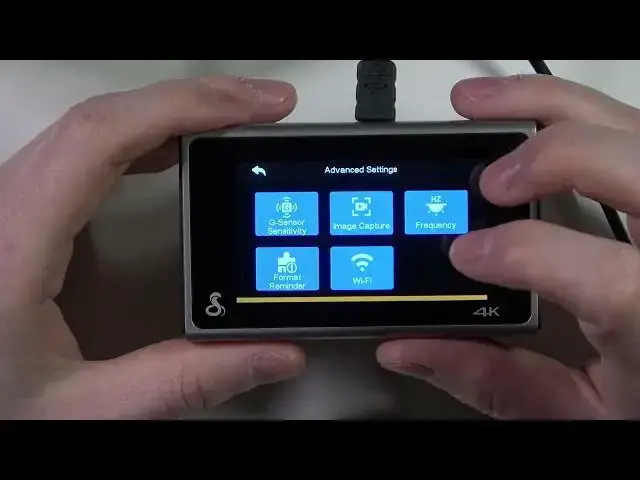

How To Change Frequency from 60Hz to 50Hz on COBRA SC400 Smart Dash Cam
Mar 19, 2024

More COBRA SC400 Smart Dash Cam Tips&Tricks: https://www.hardreset.info/devices/cobra/cobra-sc400/
Discover the power of frequency customization with this comprehensive and engaging guide on changing the frequency from 60Hz to 50Hz on your COBRA SC400 Smart Dash Cam! In this video, we'll explore the impact of frequency settings on your dash cam's performance and how adjusting them can enhance your driving experience.
In this captivating video, we'll discuss the importance of finding the right frequency for your COBRA SC400 and the role of the Drive Smarter app in managing your dash cam's frequency settings. We'll ensure that the information is accessible and enjoyable, helping you gain confidence in adjusting your dash cam's frequency without overwhelming you with complex instructions.
How to change the frequency from 60Hz to 50Hz on your COBRA SC400 Smart Dash Cam?
How to use the Drive Smarter app to customize your dash cam's frequency settings?
How to determine the best frequency setting for your specific driving conditions?
How to troubleshoot common frequency-related issues on your COBRA SC400 Smart Dash Cam?
How to optimize your dash cam's frequency settings for maximum performance?
#COBRASC400 #FrequencySettings #DriveSmarterApp
Follow us on Instagram ► https://www.instagram.com/hardreset.info
Like us on Facebook ► https://www.facebook.com/hardresetinfo/
Tweet us on Twitter ► https://twitter.com/HardResetI
Please support us on TikTok ► https://www.tiktok.com/@hardreset.info
Use Reset Guides for many popular Apps ► https://www.hardreset.info/apps/apps/
Show More Show Less