0:00
Hi everyone! In front of me I've got a Rion Mi C53 and let me share with you
0:05
how to add the photo to contact in this device. So firstly let's open your contact
0:15
list for example with the usage of the dialer and as you can see unfortunately
0:19
all of those contacts on my list have got the photo but no worries let me
0:25
pick this one for example so just tap on the on the contact you'd like to add
0:29
it then let's tap on this edit icon, pencil icon and let me quickly remove
0:34
the photo. As you can see this is what you will find on your contact so simply
0:39
tap on add picture on the circle and you will be transferred to those sections
0:44
we've got the illustrations so which are kind of pre-installed or they are simply
0:50
available online you will be able to pick something from those options which
0:54
are pretty cool you can always enter Google Photos which is your own gallery
0:58
and here in the device photos you've got two different options also because again
1:03
you've got the gallery and here you can tap on the camera and thanks to this your
1:07
device will open the camera up so this is the best option to choose if you've
1:10
got the person right in front of you and if you're able to catch a photo of him or
1:15
her but I will pick something from the gallery so let me tap on it and let me
1:20
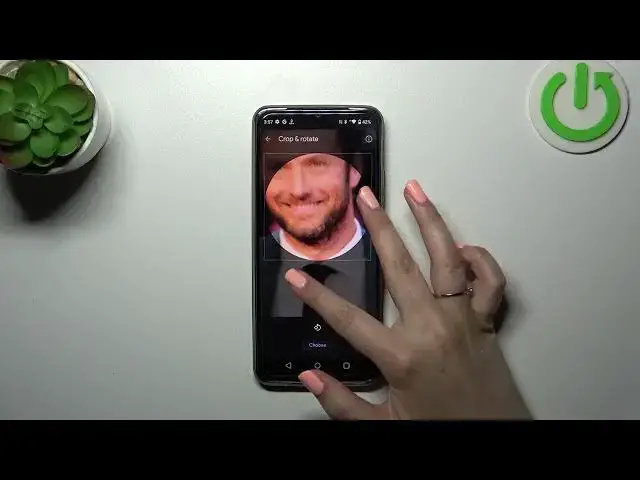
find the photo and after tapping on it you can see that here you can you can
1:25
zoom it in or out you can also change the position of it and so thanks to this
1:29
you can decide what you will see after saving the whole contact because basically this circle is responsible for it so if you're happy with your choice
1:37
just tap on choose as you can see the photo will appear right here on the
1:41
contact so remember to tap on save if you're happy with the results and as you
1:46
can see this is our contact with the photo applied you will be able to see
1:51
the photo on the contact list unfortunately you will probably have to turn it off completely and turn it on to like refresh as you can see we've
1:59
got this photo applied and you will be able to for example see it during all
2:05
incoming calls from that number alright so they'll be all thank you so much for
2:09
watching I hope that this video was helpful and if it was please hit the
2:13
subscribe button and leave the thumbs up