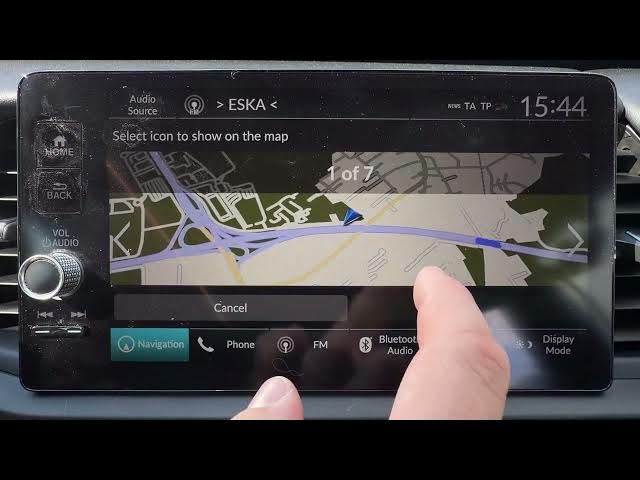

HONDA Jazz V HYBRID - How to Change Vehicle Icon on Map
May 28, 2026

In this short video I show how to change the vehicle icon on the map in the HONDA Jazz V HYBRID. You will learn where to find Map Settings, how to open Vehicle Selection, choose a different vehicle icon and save the change. This quick guide is perfect if you want the map to show a different car image or to personalize your navigation display on the HONDA infotainment system. Simple steps, no extra apps required, and useful for new owners who want to customize their map view.
How to change the vehicle icon on HONDA Jazz V HYBRID map?
How to find Vehicle Selection in HONDA Jazz V HYBRID map settings?
How to save a new vehicle icon on HONDA Jazz V HYBRID?
0:00 Intro - what we will change
0:05 Open Map Settings
0:15 Vehicle Selection - choose vehicle icon
0:30 Tap Save - finish and check the map
#HondaJazz #Honda #CarNavigation #MapIcon
Find out more:
https://www.hardreset.info/devices/honda/honda-jazz-v-hybrid/
Follow us on Instagram ► https://www.instagram.com/hardreset.info
Like us on Facebook ► https://www.facebook.com/hardresetinfo/
Tweet us on Twitter ► https://twitter.com/HardResetI
Support us on TikTok ► https://www.tiktok.com/@hardreset.info
Show More Show Less #Science