0:00
Hello, in this video we're gonna check all available gestures and motions on Huawei Nova 11
0:10
To do this we'll need to open our settings, locate accessibility features
0:14
here's shortcuts and gestures and now let's check how all of them work. First one being AI voice and
0:21
if you choose to enable it you can hold down a power button for one second to call out your
0:26
Google Assistant, I mean not Google Assistant, Huawei Assistant. In case you want to power off
0:34
your device hold the same button for three seconds. Next thing is take, oh sorry, ultra
0:43
snapshot and here you can choose to either open a camera or take the snapshot by pressing on
0:50
double time on your volume down key. So this should work on lock screen and let's try it out
0:58
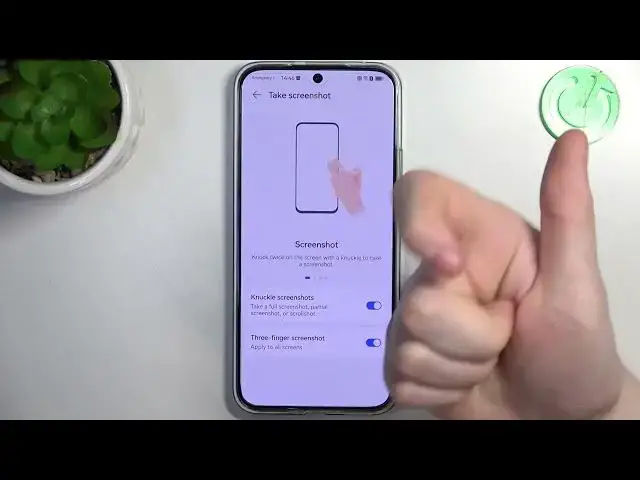
Yep, it works fine. And here we have take a screenshot, make sure that both of those settings are enabled
1:09
and we have the screenshot with knuckle, so use your knuckle onto the screen, knock twice and it should make a screenshot
1:17
Next thing is partial screenshot, so you'll need to draw enclosed area on the screen with a knuckle
1:26
to take a partial screenshot of that. Next is a scroll shot, so draw S with your knuckle
1:35
so draw S with your knuckle and this will make a full page screenshot if the page allows it
1:48
Next is swipe down with three fingers to take a screenshot, so it works like this
1:55
So now we have recording screen recording and you simply need to
2:09
use your two knuckles onto the screen two times and it begins screen recording
2:18
Next is wake screen, so you can enable two different options, rise to wake and double tap to wake and if you turn off your phone you can double tap to wake it
2:27
up or simply pick it in a grip and it should also wake up without pressing any button
2:39
Next is mute ringtone, reduce volume, there's two different settings again and here you can
2:43
flip to mute ringtone, so if you put your phone like that it will mute all incoming calls and
2:51
if you raise your phone to like this it will reduce the volume of incoming call
2:58
And the last option is answer calls and if you enable it you can lift your phone to your ear
3:03
and it should automatically answer that call. And that's it for this video, hope you liked it
3:07
please consider subscribing to our channel, leave a like and a comment below