Up next in 10


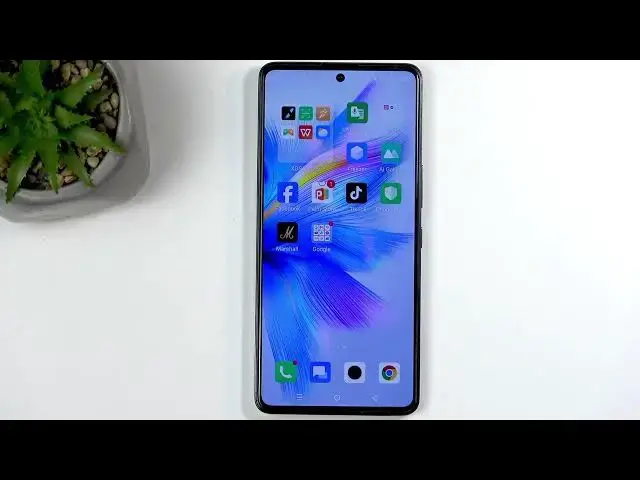
Learn how to capture screenshots on the INFINIX Note 30 VIP. In this video I show the simple button method (press Power + Volume Down), how to use the scrolling screenshot for long pages, and where to find your screenshots in the Gallery or Albums. I also explain why some apps like banking and streaming can block screenshots and give safe workarounds such as downloading a confirmation PDF or viewing content in a browser. Troubleshooting tips for screenshots not working are included.
How to take a screenshot on INFINIX Note 30 VIP?
How to take a scrolling screenshot on INFINIX Note 30 VIP?
How to capture a bank confirmation on INFINIX Note 30 VIP when screenshots are blocked?
0:00 Intro and what we will cover
0:09 Prepare the screen and open content you want to capture
0:54 Take a screenshot: press Power + Volume Down together
1:00 Scrolling screenshot demo and save options
1:25 Where to find screenshots in Gallery and Albums
3:13 Why some apps block screenshots (banking and streaming)
5:04 Workaround for bank confirmations: download PDF or use app options
6:42 Workaround for streaming: open content in browser to capture
7:35 Legal note on fair use and copyright limits
10:37 Outro, like and subscribe
#INFINIXNote30VIP #INFINIX #Screenshot #AndroidTips
Find out more:
https://www.hardreset.info/devices/infinix/infinix-note-30-vip/screenshot/
Follow us on Instagram ► https://www.instagram.com/hardreset.info
Like us on Facebook ► https://www.facebook.com/hardresetinfo/
Tweet us on Twitter ► https://twitter.com/HardResetI
Support us on TikTok ► https://www.tiktok.com/@hardreset.info
Use Reset Guides for many popular Apps ► https://www.hardreset.info/apps/apps/
Show More Show Less View Video Transcript
0:01
Welcome. In front of me is an Infinix
0:03
Note 30 VIP and today I'll show you how
0:06
you can capture a screenshot on this
0:08
device.
0:17
So, to get started you will want to open
0:19
up content that you wish to capture and
0:21
for me that will be the home screen that
0:24
we can already see.
0:26
Now, I do want to quickly stop for a
0:27
moment and just quickly mention
0:30
uh if you clicked on this video because
0:31
you already you already know how to
0:33
capture a screenshot but somehow it's
0:35
not working as
0:37
it typically does, I'll be talking about
0:39
that after I have captured the
0:41
screenshots and also shown where you can
0:43
find it. So, I'll explain what is
0:46
happening and potentially maybe give you
0:47
some kind of workarounds to it. But
0:49
anyway, going back here, once your
0:50
content that you wish to capture is open
0:52
and visible on the screen, all you will
0:54
need to do is press the power button and
0:56
a volume down at the same time like so.
1:00
You get a flash along with a pop-up with
1:01
a scrolling screenshot and share options
1:04
visible. Now, the scrolling screenshot
1:05
is right now as a button grayed out
1:07
because there's nothing to scroll down
1:10
on in here. But if you were in a browser
1:13
such as
1:14
this right here,
1:15
this should
1:17
yep, allow me to capture a long version
1:19
of the screenshot.
1:21
Let's give it a moment.
1:23
Can tap somewhere.
1:25
Done.
1:29
Save.
1:31
And
1:33
whenever you capture your screenshot you
1:34
can find all of them by going into your
1:39
photos application or gallery, whatever
1:41
we have right here.
1:43
I have gallery.
1:46
No, we don't.
1:48
Maybe it's called
1:49
AI gallery because of course it is.
1:53
Now, I'm going to be actually using this
1:54
even though it has the the
1:55
stupid name.
1:57
I can also pause or
2:01
There we go.
2:02
Wait.
2:04
There we go. So, even though it has the
2:06
stupidest name and things that are
2:07
videos or photos, uh
2:09
apparently it's not smart enough. Um
2:12
it's just a name.
2:13
Uh you can see your screen recordings
2:15
under the main photos tab.
2:18
But, I recommend actually utilizing
2:19
albums and in albums you will be able to
2:22
find albums such as for instance videos,
2:24
screenshots, and also screen recordings
2:27
which you can see right here. So, we're
2:28
looking for screen recordings or sorry,
2:30
not screen recordings, screenshots.
2:33
Um and
2:35
and here
2:36
um I think it's going to Yep. So, the
2:38
newest ones here are at the bottom while
2:40
the oldest ones are at the top.
2:43
I guess they're taking inspiration from
2:44
Apple.
2:45
Uh so, here we go. We can just click on
2:47
it.
2:49
And here are the two different
2:51
screenshots that I've captured a moment
2:52
ago. And this is the scrollable one. As
2:54
you can see quite fill the screen with
2:56
it like like the actual thing is.
3:00
Here we go. We can see that it is
3:02
Stop changing pages.
3:04
So, there we go. You can see it is a
3:06
scrolling screenshot now.
3:09
So, uh that's how you capture the
3:12
screenshots normally. Now, going back to
3:14
what I was talking about before with the
3:17
screenshot sometimes not being captured.
3:20
Uh you might encounter this potentially
3:23
by trying to capture a confirmation of a
3:24
payment. Um hell, it's going to be a the
3:26
reason why we're here.
3:28
So, if you
3:31
try to capture a screenshot of maybe a
3:32
bank transfer in your bank application,
3:34
you will always be blocked from doing
3:36
so. This is done to protect the privacy
3:38
and security of the user and it is done
3:40
so in case you have some kind of malware
3:42
on your device that would try to use
3:43
screenshots or screen recordings even to
3:46
try to see what kind of pins and
3:48
passwords you use to access various
3:49
applications such as your bank for
3:51
instance.
3:52
Uh all banks block it, so that malware
3:54
would never be able to see anything
3:56
useful or use anything when the bank
3:59
application is open. But, subsequently,
4:01
because of that, you also cannot capture
4:02
screenshots and screen recordings of
4:05
these applications when they're open.
4:07
Um
4:09
Now, for bank apps, when you're trying
4:11
to capture a confirmation, so you can
4:13
share it with someone, instead of using
4:15
a screenshot, which you might try to do,
4:17
what you can instead do is I'm just
4:19
going to show you what is this. I'm not
4:21
going to do this in bank application,
4:23
uh but typically, when you open up the
4:25
specific transfer that you want to
4:26
capture,
4:28
uh you will be able to see on that uh on
4:31
that page, somewhere in the top right
4:33
corner, these three dots. That's usually
4:35
what you have. Now, it could look a
4:37
little bit different, uh but when you
4:39
click on it, it will give you a list of
4:41
options, which one of them would be
4:43
something along the lines of download
4:44
confirmation. Uh and this would download
4:47
a PDF file
4:49
uh that has all the information of that
4:51
transfer. It's basically a document for
4:53
that transfer, and you can share that
4:55
instead of a screenshot.
4:58
Now, for other purposes, uh or not
5:01
purposes, but other locations where this
5:03
kind of feature is being utilized, uh we
5:05
have
5:06
uh streaming platforms. Any streaming
5:08
platform that does like shows and movies
5:10
uh will also be blocking it, but they
5:12
don't do it to protect the privacy and
5:13
security of the user. They do it to
5:14
protect themselves from piracy on your
5:16
behalf without ever asking you for any
5:18
consent. And
5:19
furthermore, you even pay them. I, on
5:21
one hand, never gave them permission to
5:23
do so. I didn't even install their
5:25
application. And even furthermore, I
5:27
never even
5:28
agreed to terms of service or use, like,
5:30
ever to any of these platforms. And yet,
5:32
they can still change it. Now, I'm a bit
5:34
of a problem with that, because
5:36
it's my phone, and I have never given
5:37
them permission to do so. They never
5:39
asked for it. So, instead, I'm not going
5:41
to be asking them for permission to show
5:43
you how you can circumvent this stupid,
5:44
moronic because we have fair
5:47
use for a reason and that fair use is so
5:49
we can use fairly content that is still
5:52
copyrighted such as movies and shows.
5:55
You can capture them.
5:56
So, for this purpose I'm going to be
5:58
searching for something like
5:59
Pstream.mov.
6:04
And all
6:08
alternatives. There we go. Now, I'm
6:10
doing a Google search specifically and
6:12
you will do want to search it through
6:13
Google instead of other search engines
6:14
because Google gives us results from
6:17
Reddit and this is what we're looking
6:18
for. And also the reason why we're not
6:20
navigating to Pstream.mov
6:22
is because this site no longer is
6:23
operational. I'm right now teaching you
6:26
how to fish instead of giving you a fish
6:28
to feed you for a single day. This is
6:30
going to feed you for entire life and no
6:32
DMCA strikes to any of these sites will
6:34
ever affect you because even if one site
6:36
goes down you can always find the next
6:37
one.
6:38
Now, this is just a small sneak peek of
6:40
what you can find. You can search for
6:42
other things free alternatives to
6:44
Netflix or HBO or anything else like
6:46
that and find different results all from
6:49
Red Reddit.
6:51
Now, if I click on here
6:55
you can see we have some links in here I
6:58
can utilize. Some of them are absolutely
7:00
horrendous, some of them are good. So,
7:03
find whichever one works best for you
7:05
and because whatever you'd be viewing
7:07
right here would be going through the
7:08
browser, it's not subject to the same
7:11
kind of limitations of uh blocking
7:13
screenshots and screen recordings.
7:15
Application itself needs to do that from
7:17
the get-go and if it doesn't uh any
7:19
content open on it cannot change that.
7:20
So, browsers don't block your
7:22
screenshots and screen recordings and
7:24
just because you opened up shows or
7:25
anything like that, those cannot change
7:27
how that works.
7:29
Uh now, I'd want to quickly stop and
7:31
talk about uh legality of this because I
7:34
I mentioned fair use but I do want to
7:36
just kind of uh make it a little bit
7:38
more clear as far as I understand this.
7:41
I'm not a lawyer so
7:42
you know, take that with a grain of
7:43
salt, do your own due diligence for this
7:45
purpose. But as far as I am aware, if
7:48
you're paying for, let's
7:49
for the sake of this example, I'm going
7:52
to be primarily using Netflix as a just
7:55
kind of subject right here. So, if
7:57
you're paying for a subscription to
7:59
Netflix, right?
8:00
And you want to capture something like
8:01
Stranger Things, maybe screenshot or
8:03
screen recording, uh you can go to these
8:06
sites and view it and capture it, no
8:07
problem. Capturing and viewing at that
8:10
point has
8:11
as far as I am aware no legal
8:13
repercussions. Now, if you were to view
8:16
this content, even not not even capture,
8:18
but just view it through these sites
8:20
without an active subscription, that
8:22
would actually be considered as piracy
8:24
because by law piracy doesn't imply that
8:27
it's sharing, it's actually sharing and
8:28
viewing. Just accessing copyrighted
8:30
content um without technically the right
8:34
to do so. So,
8:37
uh so be aware of that. And also,
8:40
keep in mind that different countries
8:41
might have different uh laws for this,
8:43
so check in your country how that
8:44
exactly works.
8:46
Um
8:47
and capturing uh is covered usually by
8:50
fair use. Uh videos are, I believe, up
8:53
to 30 seconds. Uh anything above that
8:55
could be striked uh with a copyright
8:57
claim. Uh so for instance, if you upload
8:59
something like that to YouTube, uh this
9:01
could be striked for basically
9:03
infringing on copyrights. Uh though
9:06
truth be told, if you upload something
9:08
uh that is still under the legal limit
9:11
that you should be able to to use under
9:14
the fair use law,
9:15
uh and you have some negative criticism,
9:17
companies don't give a because
9:18
they're stupid conniving and they
9:20
will still strike you because for you to
9:22
dispute this, you'd need to take them to
9:24
court. But that usually happens when you
9:25
have negative things to say and that you
9:27
just don't like it.
9:29
Um
9:30
so,
9:32
uh for
9:34
those purposes, obviously be aware of uh
9:36
the limitations of this. If you don't
9:38
pay for it, it would be piracy and
9:39
sharing in this case would also fall
9:41
under piracy because
9:43
gaining this content technically without
9:45
the right to. But, if you're paying for
9:47
a subscription to these services, you
9:49
should be fine. And viewing it on this
9:51
site, you don't actually need any
9:53
accounts, subscriptions, or anything
9:55
like that. So, you can come here at any
9:56
point and just view it here.
9:58
Uh which is pretty nice also because
10:01
let's be honest, Netflix isn't in the
10:02
business of selling you shows. It's in
10:04
the business of gathering your data and
10:05
selling that and also making you pay for
10:08
your data to be gathered under the
10:10
pretenses of you can view Stranger
10:12
Things for instance. So, if you pay for
10:14
a subscription, what you can do
10:15
technically is just get rid of the
10:16
application so it cannot data mine your
10:18
phone and sell that information and view
10:21
it in here.
10:22
Screw you, Netflix.
10:24
Um so, yeah. There we go.
10:26
Um now, like I said, legally speaking,
10:29
uh do do do your due on due diligence
10:31
for this and this is as far as I
10:32
understand this and I could be wrong.
10:37
And in any case, if you found this video
10:39
helpful, don't forget to hit like,
10:40
subscribe, and thanks for watching.
Science