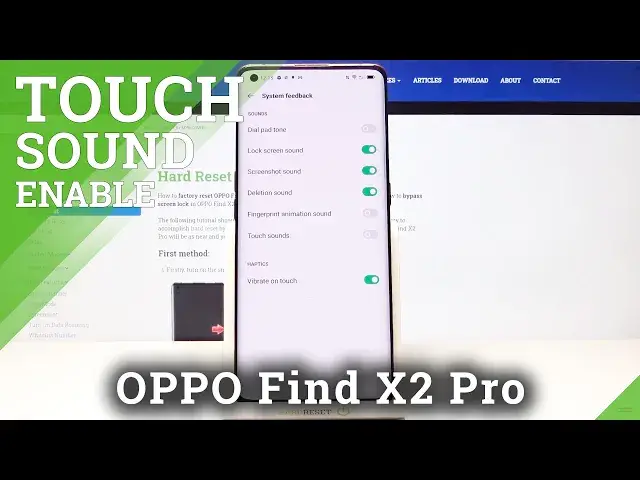

How to Enable Touch Sounds in OPPO Find X2 Pro – Customize Touch Clicks
Jul 13, 2024

Learn more info about OPPO Find X2 Pro: https://www.hardreset.info/devices/oppo/oppo-find-x2-pro/
If you’re not the biggest fan of touch sound in your OPPO Find X2 Pro, then let’s check our video! In this tutorial we’d like to share with you how easily you can find proper sound options and how to manage them in order to limit the sound feedback from your device after tapping on the screen. You’ll be able to turn off characteristic clicking sound after tapping on the screen. So let’s follow all shown steps and successfully enable touch sound.
How to Activate Touch Sound in OPPO Find X2 Pro? How to Manage Touch Sounds in OPPO Find X2 Pro? How to Change Touch Sound in OPPO Find X2 Pro? How to Change Touch Tone in OPPO Find X2 Pro? How to Manage Touch Tone in OPPO Find X2 Pro? How to Enable Touch Tones in OPPO Find X2 Pro? How to Enable Touch Sounds in OPPO Find X2 Pro? How to Activate Touch Tones in OPPO Find X2 Pro? How to Customize Touch Tones in OPPO Find X2 Pro? How to Turn Off Touch Tone in OPPO Find X2 Pro?
#TouchSound #ClickSound #OPPOFindX2Pro
Follow us on Instagram ► https://www.instagram.com/hardreset.info
Like us on Facebook ► https://www.facebook.com/hardresetinfo/
Tweet us on Twitter ► https://twitter.com/HardResetI
Support us on TikTok ► https://www.tiktok.com/@hardreset.info
Use Reset Guides for many popular Apps ► https://www.hardreset.info/apps/apps/
Show More Show Less