0:00
Welcome, in front of me I have Xiaomi Smartband 7 Pro and I'm gonna show you how to measure
0:05
the heart rate on this smartband. Before we start if you want to get the most accurate results of your measurements make
0:16
sure to put your smartband on your wrist, secure it tightly so it doesn't move around
0:20
and while you're measuring your heart rate try not to move too much
0:24
I'm just gonna put my finger on the sensor right here but because of that my results
0:28
might be not too accurate. Now let's continue with the measurement. So first thing you will need to do is to wake up the screen on your smartband and you can
0:37
do it by tapping on the screen. Once you wake up the screen you can swipe up from the bottom of the screen to open the
0:45
menu and in this menu you should see the heart rate icon
0:50
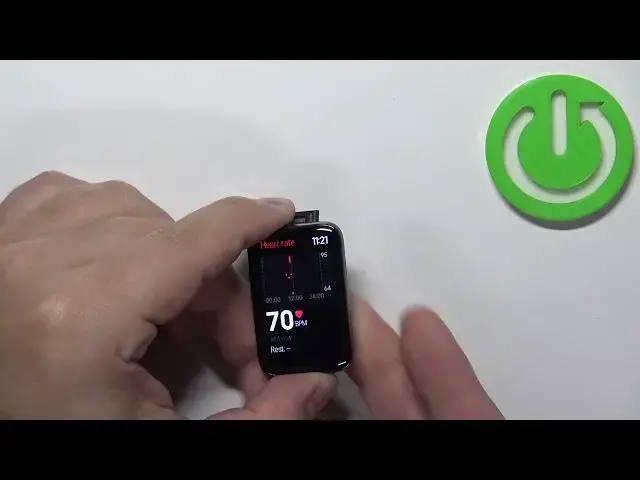
Tap on it to open the heart rate widget and now the smartband should start measuring the
0:54
heart rate automatically
1:06
As you can see it detected the heart rate and this number will jump around because the
1:10
band is measuring the heart rate in real time but once it settles a little it should be
1:16
the current heart rate. Okay, you can also see the graph right here that shows you the heart rate from the whole
1:26
day and also you can scroll down and here we have the resting heart rate but for that
1:32
you need more data to show up and also you can tap on the settings icon to change a couple
1:38
of settings for your heart rate monitoring. You can tap on continuous monitoring right here and you can select how often the smartband
1:48
should check your heart rate and you have 1 minute, 10 minutes, 30 minutes, auto or close
1:54
If you select close it's going to be turned off completely. Next we have the high HR, basically high heart rate
2:05
So this option allows you to set the alert for the high heart rate
2:11
So if for example you select 150 when your heart rate reaches 150 the smartband will
2:17
alert you and tell you that your heart rate is too high and if you select low here you
2:23
can select the low heart rate and you can select one of the options and if it reaches
2:27
the threshold or below it will alert you that you have the low heart rate
2:32
Okay, let's go back to the watch face and that's how you measure the heart rate on this smartband
2:41
Thank you for watching. If you found this video helpful please consider subscribing to our channel and leaving a like