0:00
In front of me is Honor V20 and let me show you some of the secret codes that you can
0:08
use on this device. So first of all, you have to open your phone dialer and make sure that you are in keypad
0:14
menu because this is the place that we'll be entering secret codes
0:18
And let's start with the shortest one, which is asterisk pound or six pound
0:24
And as you can see, this code allows you to open unique numbers assigned to your device
0:29
which are email and serial number. So tap on OK to go back
0:33
And that will be all. So you can shortly and truly easily open unique numbers assigned to your Huawei Honor V20
0:41
And let's move to the second code, which is asterisk pound or pound
0:48
And as you can see, it's also connected with your device. And here you can check model, build number, hardware version, also email numbers, and
0:56
then some other info. And smoothly, if you'd like to open about phone, enter this code and you'll be provided
1:02
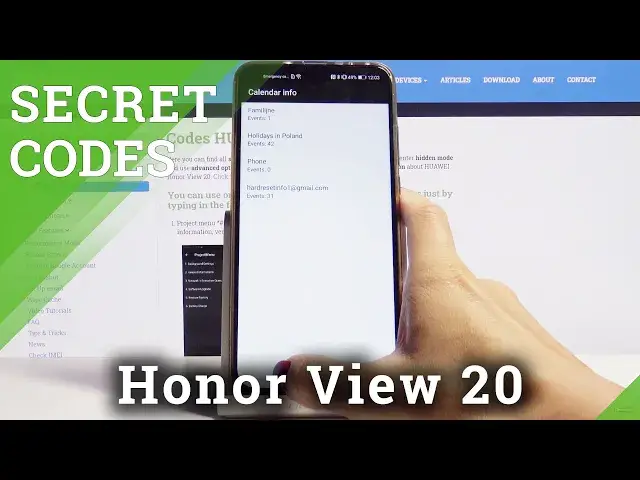
with details. So this is all for the second one. Another super useful code is asterisk pound, asterisk pound, double to five, pound asterisk
1:12
pound asterisk. And here you've got the calendar info, where you can locate all events, celebrations, important
1:18
dates and so on connected with your device. So connected like the calendar, once it's connected with your device, it will be displayed
1:26
right here. And from now on, you will not forget about any important event or anniversary
1:31
Just enter this code and then be provided with all upcoming events
1:35
And let's go to the last code, also the longest one. And I think the best one as well
1:43
And the code is asterisk pound, asterisk pound, 284, 657, 9 pound asterisk, pound asterisk
1:53
And now we are in project menu, where you can check background settings, very information
1:58
network information query, software upgrade. You can perform a factory reset and also you can check battery charge
2:05
So let me show you, for example, battery charge. And here you've got the battery level and also temperature
2:13
Then you can, for example, check very near information right here. Let's start with the first option, which is version info
2:22
And here, as you can see, you've got plenty of truly useful and important details like
2:26
bootloader version. Then under manufacturer info, you'll find manufacturer details. And under other details, you will find serial number, audio parameter, and so on
2:39
And for example, in background settings, you can check the debug setup, USB port settings
2:44
and AP lock settings. And for example, if you'd like to change USB port settings, just click here and smoothly
2:50
by tapping on those dots, you can change the setup. So that would be all for this one
2:56
And actually, these are all secret codes that I wanted to share with you today, which you can apply to your Honor View 20
3:02
Enjoy and use them as often as you want to and also whenever you need to
3:06
Thank you for watching. Please subscribe to our channel and leave the thumbs up