0:00
Hi guys, here I have Samsung Galaxy after a hardwired operation and I'm going to show
0:09
you how to bypass a Google account protection. So saying in other words how to activate our phone without inputting appropriate email
0:18
and password to our Google account. So how to remove a factory rest protection
0:24
First of all we should go from the welcome panel to WiFi connection and connect to one
0:30
of their WiFi. We should have access to internet. Then we should download a SightSync application
0:39
It's a free application. The link to this app should be under the video in the description
0:47
We should open it on our PC. Let me do it. SightSync and we should just launch this application and connect our phone by using a micro USB
1:01
cable to a PC. Let me do it. Connecting a USB cable. Ok. Excellent
1:11
And what this application allows is it allows us to use one of the internet browsers
1:28
We can choose Chrome just once. Now we can accept and continue all terms
1:38
Now I should press no thank you. Excellent. Now we can translate this message to English and what we can do is use an internet searcher
1:52
Internet browser. Let me go to the following website. Download.hardreset.info. Ok
2:18
Download.hardreset.info and we should tap go. Excellent. We are on the website where we can download the necessary application to bypass a Google account
2:33
We should choose Samsung folder and from this folder we should download Samsung bypass Google
2:42
It's this application. The first one. Ok. Let me tap ok. Downloading
2:53
Now we can go back. Translate to the message you will be taking to the Google apps
3:06
Let me tap ok. Let me agree with terms and conditions. Excellent
3:17
And now we can search. This is the search icon. Let me tap
3:25
We can search the necessary application from a Google apps store
3:34
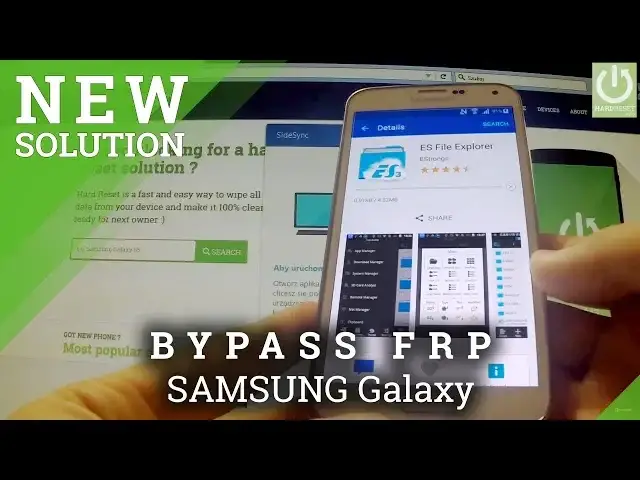
So let me input the following name. ES File Explorer
3:44
I've got this. ES File Explorer. Let me search this. The first one is the one that we need
3:55
So we should open this application and tap install. In progress
4:06
Now we should sign in in the Samsung account. It could be the random Samsung account, the one that we use or if we don't have a Samsung
4:20
account we can create one right here. So let me input my Samsung account. Ok
5:02
I'm signing in. As I said it could be a Samsung account that we even create right now
5:14
And now we can tap install one more time. Accept and download
5:24
We are downloading this application right now and installing. We accept. Excellent
5:51
We can tap cancel. You should go to a quick tutorial. Now we can tap download and we've got Samsung bypass
6:03
Let me open this application. One more time. Download Samsung bypass
6:16
And let me tap install. Install blocked. So we should tap settings
6:25
Scroll down to unknown sources
6:35
It's on the upper part of the list. And let me allow unknown sources on our device. Ok
6:47
Now we can tap install. And the application has just been installed
6:54
We can open this program. And this app allows us to use phone settings
7:02
So we can now go to the user and backup and choose backup and reset
7:12
Now factory data reset. Now we can tap reset device. And if we are sure that we want to erase all of our personal information and downloaded
7:26
apps we should tap erase everything. This operation erases every data and every customized settings including a bypass, including
7:38
a Google account protection. So that's what we need and that's what I should do
7:44
I'm tapping erase everything. And the hard reset operation has just begun
8:03
The phone is erasing everything
8:32
The phone is installed default apps. It's standard procedure
8:56
Excellent and the welcome panel just appears on our screen one more time
9:01
We can choose preferred language. Let me choose English. And let me check if we can activate our phone without inputting a Google account
9:10
Let me skip. I'm not going to connect off any of Wi-Fi
9:18
I understand all conditions. Next, next
9:28
Skip, finish. And as you can see we just activate our phone without inputting a Google account
9:36
So the Google account protection has just been removed. We can easily use our phone
9:43
Thank you for watching. Please subscribe our channel and leave like finger up under the video
9:51
All necessary links should be in the description. Thank you