0:00
Welcome, my name is Cubot R15 Pro and today I'll show you how to enable the power saving mode
0:14
And to get started let's pull down the notification panel, extend it and you should find the power
0:19
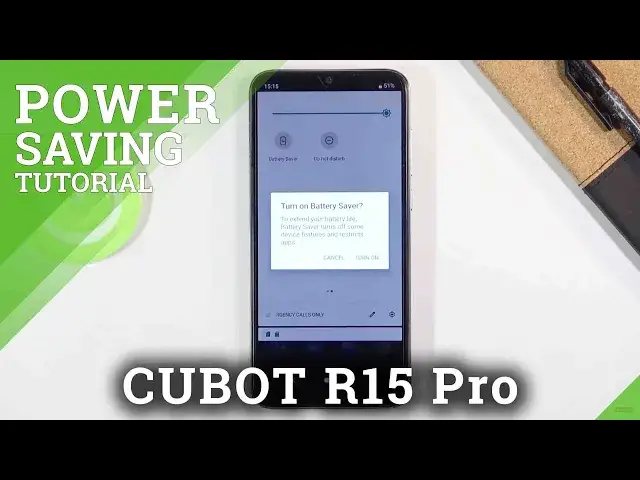
saving mode somewhere here and it looks like it's right here, battery saver. So once you find it
0:24
simply tap on it and it will give you a message turn on battery saver to extend your battery life
0:29
Battery saver turns off some device features and restricts apps. Now in other words because this
0:35
is fairly vague what it does as one of the more important ones at least that I would consider
0:41
as it will disconnect you from wi-fi and mobile network when the device goes to sleep meaning that
0:46
when it's not being used so when you lock it after about 10 seconds it's considered to be sleeping
0:52
or so I'm not exactly sure on the time but basically when it's locked like this after a
0:58
given time it's just going to disconnect from wi-fi and mobile data just to save on battery
1:04
and that will cause you to not get notifications that will be associated with actually internet
1:09
access so for instance Facebook, Twitter all that stuff will not be giving you any kind of updates
1:15
till you interact with the device again. Now outside of the actual power saving mode if you
1:22
want to extend the battery even further you could drop the max brightness of the display further
1:27
because the power saving doesn't drop it at all and reducing it by just half for instance will
1:33
give you about an hour to two hour battery life if not more now this will vary depending on the
1:39
devices here we don't really have an idea of how much it gives me but I am most certain that it does
1:46
extend the battery life further and outside of that you could also disable toggles that you
1:52
don't use so if you have for instance Bluetooth enabled mobile data location if you don't use
1:57
those simply turn them off as they are right now turned off for me and that will also extend your
2:03
battery a little bit further but that being said that is how you enable the power saving mode here
2:08
and if you found this very helpful don't forget to like subscribe and thanks for watching