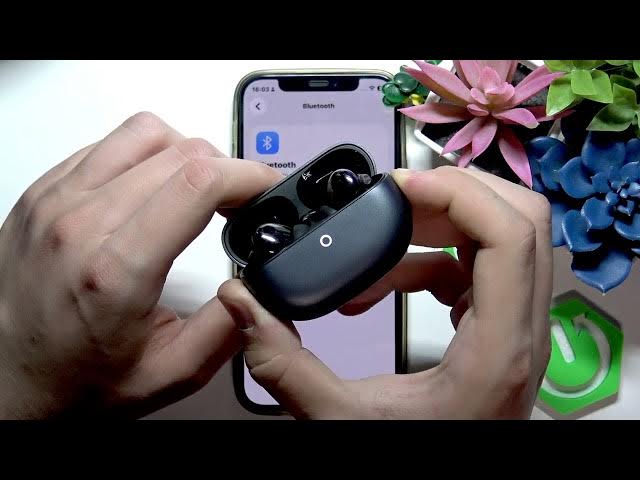

HUAWEI FreeBuds Pro 5 – Fix Bluetooth Pairing Issues
Jun 14, 2026

In this video I show step-by-step how to fix Bluetooth pairing issues on HUAWEI FreeBuds Pro 5. If your FreeBuds Pro 5 won't connect or keeps disconnecting we walk through un-pairing (Forget device), performing a factory reset by holding the case button until the LED turns red and you hear a tone, restarting your phone, fully charging the earbuds, and final support options. These simple checks solve most pairing problems so follow the steps and try pairing again after each one.
How to fix Bluetooth pairing issues on HUAWEI FreeBuds Pro 5?
How to factory reset HUAWEI FreeBuds Pro 5?
How to pair HUAWEI FreeBuds Pro 5 with a phone?
0:00 Introduction - What we will fix
0:07 Un-pair in Bluetooth settings (Forget device)
0:25 Factory reset FreeBuds Pro 5 (hold case button until red and tone)
0:50 Try reconnecting the earbuds
0:59 Reboot phone and retry pairing
1:11 Charge earbuds to 100% and wait over 1 hour
1:25 Contact HUAWEI support if issue persists
#Huawei #FreeBudsPro5 #Bluetooth #Pairing
Find out more:
https://www.hardreset.info/devices/huawei/huawei-freebuds-pro-5/fix-bluetooth-pairing-issues/
Follow us on Instagram ► https://www.instagram.com/hardreset.info
Like us on Facebook ► https://www.facebook.com/hardresetinfo/
Tweet us on Twitter ► https://twitter.com/HardResetI
Support us on TikTok ► https://www.tiktok.com/@hardreset.info
Use Reset Guides for many popular Apps ► https://www.hardreset.info/apps/apps/
Show More Show Less