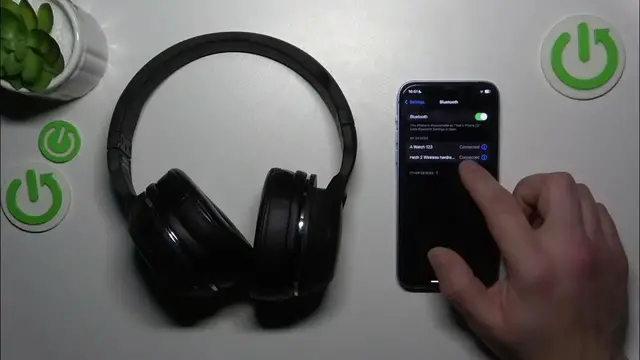

How to Disconnect SkullCandy Hesh 2 Headphones from iOS Devices
Jan 17, 2024

Find out more: https://www.hardreset.info/devices/skullcandy/skullcandy-hesh-2/
Dive into the nuances of Bluetooth connectivity with our latest video, "SkullCandy Hesh 2: How to Unpair with iOS." SkullCandy Hesh 2 headphones are a favorite for their immersive sound, but sometimes you need to disconnect them from your iOS devices. Whether you're troubleshooting, connecting to a different device, or simply clearing out your Bluetooth connections, this video is your go-to guide. We walk you through the straightforward process of unpairing your SkullCandy Hesh 2 headphones from an iPhone or iPad, ensuring a smooth disconnection. This tutorial is ideal for SkullCandy users who want to manage their device connections effectively, providing clear instructions and helpful tips for a hassle-free experience. Join us to master the art of managing your wireless audio connections, and make the most out of your SkullCandy Hesh 2 headphones with your iOS devices.
#UnpairSkullCandyiOS
#Hesh2Headphones
#BluetoothHeadphonesGuide
"How To" Questions:
How to access the Bluetooth settings on your iOS device to unpair SkullCandy Hesh 2?
How to identify and select SkullCandy Hesh 2 in the list of connected devices on iOS?
How to confirm the successful unpairing of your SkullCandy Hesh 2 from an iOS device?
How to troubleshoot if you face issues while unpairing SkullCandy Hesh 2 from iOS?
How to manage your Bluetooth device list on iOS after unpairing SkullCandy Hesh 2?
Follow us on Instagram ► https://www.instagram.com/hardreset.info
Like us on Facebook ► https://www.facebook.com/hardresetinfo/
Tweet us on Twitter ► https://twitter.com/HardResetI
Support us on TikTok ► https://www.tiktok.com/@hardreset.info
Use Reset Guides for many popular Apps ► https://www.hardreset.info/apps/apps/
Show More Show Less