0:00
This is DJI Mini 2 SE and today I'll show how you can connect drone, remote
0:07
controller and your phone all together. So to start you will need to download, install and set up the DJI Fly app on
0:17
your phone that looks like that. We have the whole separate video on how to do
0:21
that and how to well just manage the DJI Fly app on both Android and iOS devices
0:25
so check it out. Long story short if you have an iPhone you'll find this app on
0:29
the App Store and will be able to download it from there. If you have the
0:33
Android phone like this Nokia for example you'll need to go at the app is
0:38
missing at the Google Play Store so in order to download it you'll need to get
0:43
the APK file from the DJI official website. So that's long story short. Now
0:49
you need to start with connecting your phone to your remote controller using
0:55
one of the cables that you should have gotten in the alongside drone and RC in
0:59
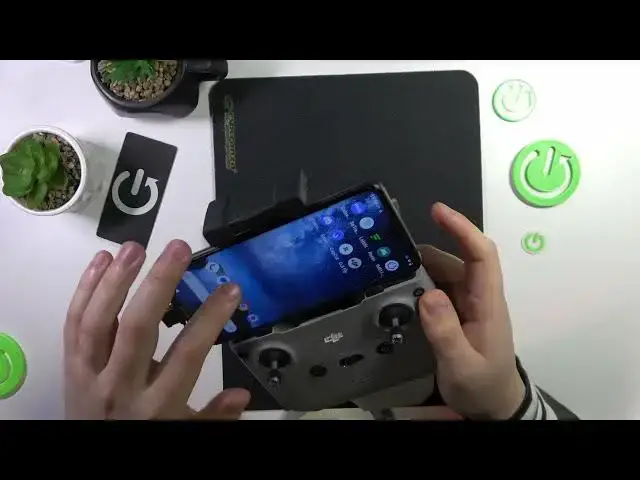
the box or from the box. So the slot that you need to put the wire in is this one
1:05
so open this mounting rack, reveal this port here and then connect or insert
1:12
your wire into this little port. I'll do that. Actually I think it's way simpler
1:21
if you were to put the wire into the remote controller port first and then
1:28
connect it to your phone. So let me figure it out because it's pretty
1:33
complicated as you can see to slot this little wire into this deeply mounted
1:38
type-c output it's really hard but manageable. So put it in then mount your
1:58
phone on this rack here. Now once the phone is mounted finish connecting it using this cable like that
2:15
Once the phone and your controller are interconnected unlock your phone then
2:23
open the DJI fly app. Now switch on both the drone and your remote controller
2:30
which you can do on the remote controller by pressing power key and
2:33
then once again press and holding it until you hold it until you hear this
2:38
very characteristic beep. Then here allow the DJI fly to access this controller
2:43
make sure to grant this permission. Now as I've already mentioned switch on the drone it gets powered on the same way
2:57
tap at the power button and then tap and hold it. And now just wait the drone and its RC should be paired from the box
3:12
automatically so if you wait like 5 10 15 seconds they should be they should
3:18
connect together automatically which as you could have seen just happened in my
3:25
case the drone and RC are now interconnected so I guess that'll be it
3:31
guys thanks for watching thanks for your attention and bye bye