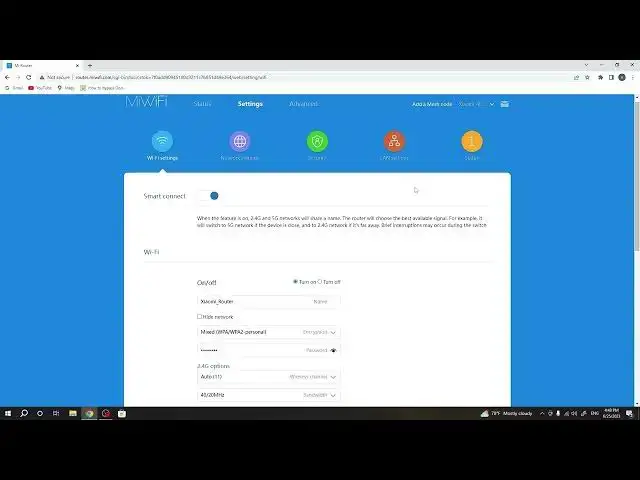

Unleash the Full Power of Your Wi-Fi! Enable Wi-Fi 5 Mode on Xiaomi AX3600 WiFi 6 Router!
Aug 3, 2024

More ROUTER XIAOMI Mi AIoT AX3600 WiFi 6 Tips&Tricks: https://router.info/
Welcome to our detailed guide on "How to Enable Wi-Fi 5 compatibility mode on ROUTER XIAOMI Mi AIoT AX3600 WiFi 6". Navigating the world of networking can be tricky, especially with the advancements of Wi-Fi 6. While this new technology has much to offer, it's essential to ensure compatibility with Wi-Fi 5 devices, and that's where our video comes in.
In this video, we unravel the intricacies of enabling Wi-Fi 5 compatibility mode on your Xiaomi Mi AIoT AX3600 WiFi 6 router. We'll explain why it's important, how it impacts your network, and of course, guide you through the enabling process.
By ensuring compatibility with both Wi-Fi 5 and Wi-Fi 6 devices, you can harness the benefits of both technologies. So, whether you're a tech whizz or a novice, this video will empower you to optimize your router settings for an impeccable Wi-Fi experience.
#XiaomiAX3600, #WiFi5Compatibility, #WiFi6Guide
"How to determine if you need to enable Wi-Fi 5 compatibility on your Xiaomi AX3600 router?"
"How to ensure all your devices connect successfully after enabling Wi-Fi 5 compatibility?"
"How to identify the performance differences after enabling Wi-Fi 5 compatibility?"
"How to revert to Wi-Fi 6 only mode on your Xiaomi AX3600 router?"
"How to troubleshoot any issues that arise after enabling Wi-Fi 5 compatibility?"
Follow us on Instagram ► https://www.instagram.com/hardreset.info
Like us on Facebook ► https://www.facebook.com/hardresetinfo/
Tweet us on Twitter ► https://twitter.com/HardResetI
Support us on TikTok ► https://www.tiktok.com/@hardreset.info
Show More Show Less