Up next in 10


Top 5 tricks for MEIZU.
Check out top tricks in MEIZU MX5. Let's see what you can do in MEIZU software. The best hidden features and secret options. Let's know your MEIZU phone better.
Read More:
http://www.hardreset.info/devices/meizu/meizu-mx5/hardreset/first-method/
Show More Show Less View Video Transcript
0:00
Here I have Metsu Mx5 and let me show you top tricks for the following device
0:09
Let me show you the coolest features that you can use on the following Metsu smartphone
0:13
At the very beginning let me open the engineering mode. So let's use the phone dial right here
0:19
Let's activate the keypad and let's use the engineering mode by inputing the following code
0:24
Asterix hash, asterix hash, three six, four. 46633 hash asterix hash asterix the following engineering mode pops up here you can navigate by tapping appropriate options
0:40
you can choose here for example the auto transfer you can disable and enable this switcher you can check some connectivity settings such as the Bluetooth
0:49
you may also test the Wi-Fi and make sure that you are using the the proper mode of your Wi-Fi you can choose the hardware and here
0:59
You can choose the camera and you can see the camera settings right here
1:04
You can see the audio settings, for example the headset mode. What's more, you can also select the next tab which is location
1:13
You can see location based service right here. Here you can also see the log and debugging and others such as the settings font Here you got the small font large form and extra font you can change the default values of this font so you can just explore this engineering mode here you can change a lot of things let me go back and this time let me show you how to use the gesture wake up feature so let find and select the settings right here
1:43
here you have to open the left bar and choose the accessibility it's right here
1:51
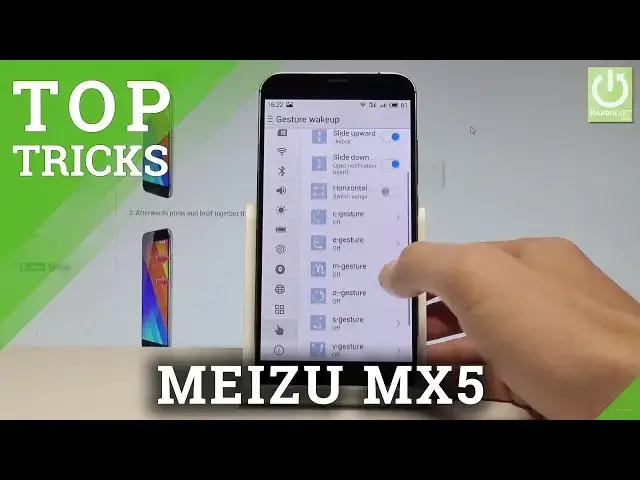
Select gesture wake up, let's enable this feature and here let me for example enable the double tap to light up the screen
1:58
Let me choose slide upward to unlock Slide down to open notification bar. You may also for example choose horizontal to switch songs
2:07
C gesture e gesture m gesture all a lot of more But let me use this first three for example, so let me lock the screen and let's double tap
2:17
as you can see I just light up my screen. Let's just
2:21
swipe up right here and I just unlock the device and now let me slide down
2:29
and as you can see the upper bar just pops up so that's it this is the gesture wake-up
2:36
and now let's go to the third trick the third cool feature let's go back to accessibility
2:43
also right here and here you need to choose smart touch let enable the smart touch and as you can see the following virtual home button pops up Let me tap it and by using the virtual home button you can enable some features but of
2:59
course you need to set up this button so let's go and let's choose accessibility one more
3:02
time. Let's choose smart touch and here for example you can choose the one tap for going
3:10
back so let me enable this. You can choose double tap to close the application
3:16
You can hold to move, slide up to back to the home screen, slide down to unfold the notification bar and slide down or right to switch between tasks
3:27
You can also place this button whenever you want, so let's just hold it and now you can place it for example at the top of the screen right here
3:37
So now if you tap once you are going back, if you tap twice you can go to the home screen
3:42
And what's more important, you can also disable and enable the screen
3:46
this virtual home button by using the upper bar and here by choosing the smart touch
3:53
And right now the smart touch disappear. So let's go next and let me show you the other cool feature for the Metsu MX5 and let me show
4:02
you how to arrange icons. So all you need to do is use one of the home screen, for example that one
4:09
Let hold down whenever you want at the empty wallpaper and here you can for example add a widget You can for example use the calendar or other widget whatever you want And what more important you can also arrange the files
4:24
So let's hold down again and let's choose align icons and you can choose align to the top or align to the bottom
4:30
Let me use to the bottom and as you can see you just make clean
4:37
make cleaning on your home screen so everything is just fine. And let me show you the last cool feature
4:43
So the security app on the Metsu MX5, let's find and select the security
4:49
Here you need to use the following menu by tapping appropriate options
4:54
For example, you can use the cleaner and clean the junk files. You can speed up the system by using that
4:59
So as you can see, you can clean the following files. Let's tap clean
5:04
You can also use the antivirus, so let's choose the antivirus. And let's make sure that your device is safe
5:10
So the device is looking for any risks. Everything is alright. Let's tap down
5:16
You may also, for example, scan the large files. You can, for example, allow some permissions or choose power to, for example
5:23
enable the smart mode and save some power on your device. So that's it, let's go back and you just see the five cool features from the Metsu
5:32
Thank you for watching. Please subscribe our channel and leave thumbs up under the video
#Gadgets & Portable Electronics
#Other